
Flash Fix Mobile: The Trusted Choice for Syracuse Tech Support

Serving Mattydale, North Syracuse & All of CNY Same-Day Repairs Available When your phone falls, its screen breaks or the battery just won’t hold a charge and you start to panic. Who do you call? Where do you go? If you are in Syracuse the answer is Flash Fix Mobile. We are not the repair shop that keeps your device for weeks or gives you timelines. We are your trusted store for fixing phones, tablets and computers here in Central New York. Most often, we fix them on the same day you visit us. Whether you have a broken iPhone screen, Samsung won’t turn on, your MacBook keyboard is dead or your kid tested your tablet’s water resistance. Flash Fix Mobile has the tools, parts and expertise to fix these problems. Here is why many people in Syracuse trust us to fix their tech problems: 1. We Fix What Other Shops Won’t Touch A lot of repair shops in the Syracuse area stick to the basics, cracked screens and dead batteries on the most popular models. Flash Fix Mobile goes further. Our technicians are trained and equipped to handle a wide range of devices and damage types, including: iPhone screen replacements (all models, including the latest Pro Max series) Android screen and battery repairs for Samsung, Google Pixel, OnePlus, and more iPad and tablet glass & digitizer replacements MacBook screen, keyboard, and charging port repairs Water damage diagnostics and recovery Data recovery for damaged or unresponsive devices Not sure if your device is fixable? Bring it in anyway. We offer free diagnostics on most devices, no charge just to take a look. 2. High-end and Affordable iPhone Repairs Every Time Apple devices are sleek, powerful, and unfortunately expensive to repair at the Apple Store. At Flash Fix Mobile, we offer professional iPhone repair in Syracuse at a fraction of the cost, with the same quality parts and craftsmanship you’d expect from any authorized center. From iPhone 8 to iPhone 17 Pro Max, our team has completed thousands of successful repairs. Cracked screen? We’ll have it replaced, tested, and back in your hands in under an hour. Dead battery dragging through 20% by noon? We carry genuine-grade replacement batteries that restore your phone’s functionality. We also handle more complex iPhone issues like: Face ID not working after a screen swap (we retain Face ID functionality) Back glass replacement for iPhone 11 and newer Charging port clogs and replacements Speaker and microphone repairs Call for a quote on your iPhone repair 3. Android Repair Specialists You Can Count On If you own a Samsung, Motorola or Google Pixel you deserve the great care that iPhone users get. Our Android repair services in Syracuse are designed in that way for you. We can replace your screen, troubleshoot software, fix your charging port and repair your battery. Some phones, like the Samsung Galaxy can be really hard to fix. The curved glass and OLED displays are tricky. The back panel adhesive makes them a challenge for inexperienced technicians. Our team knows how to fix phones because we were trained specifically on Samsung repair. We stock parts for all Android phones so we can often fix your phone on the same day. Standard services like replacing screen or battery for Android phones, like the Samsung, Motorola or Google Pixel, take 2-3 hours. 4. Fast, Affordable, Guaranteed Screen Repair A cracked screen is the #1 reason people come through our doors. And with good reason — a broken display makes everything harder: texting, navigation, work apps, even just checking the time. Our screen repair service is fast, affordable, and comes with a quality guarantee. Here’s what you can expect when you bring your device to Flash Fix Mobile for a screen repair: Upfront pricing High-quality replacement screens with accurate color and touch sensitivity Most screen repairs completed in 30–60 minutes Post-repair functionality testing before you leave Warranty on parts and labor Walk into our Mattydale shop, no appointment needed! 5. Why Syracuse Trusts Flash Fix Mobile There’s no shortage of phone repair options in the Syracuse area. So why do people keep coming back to Flash Fix Mobile and sending their friends and family too? It comes down to a few core principles we never compromise on: Fast Turnaround Most repairs are done same-day. We know you can’t go without your phone. Value Competitive, transparent pricing that is always cheaper than replacing your device. Expertise Trained technicians who have repaired thousands of devices across all brands. Trust We’re a local CNY business; our reputation in the community matters more than a one-time sale. 6. Located in Mattydale, Convenient for All of CNY Our flagship shop is located in Mattydale, NY, just minutes from North Syracuse, Cicero, Liverpool, and downtown Syracuse. We’re easy to get to, easy to find, and staffed by real people who are ready to help the moment you walk in. No appointment needed for most standard repairs. Just walk in, hand us your device, you can wait or grab a coffee nearby, and we’ll text you when it’s ready. For more complex repairs or data recovery, we’ll give you a realistic timeline upfront. You can also reach us online anytime at flashfixmobileny.com to check services, GET INSTANT REPAIR, or contact our team directly. Stop by or Call us today, same-day service available! FAQs How long does a typical repair take? Most repairs like screen and battery replacements are done within 1 hour. If you have an Android phone like a Samsung it will take a little longer around two to three hours because Android repairs are more complicated. If your phone has water damage or you need data recovery it will take longer but we will tell you exactly how long it will take before we start working on it. Do I need an appointment? No you do not need an appointment for repairs. You can just come to our shop in Mattydale. We will fix your device right away. If
Why Your Smartphone Battery Dies Faster in Syracuse Winters
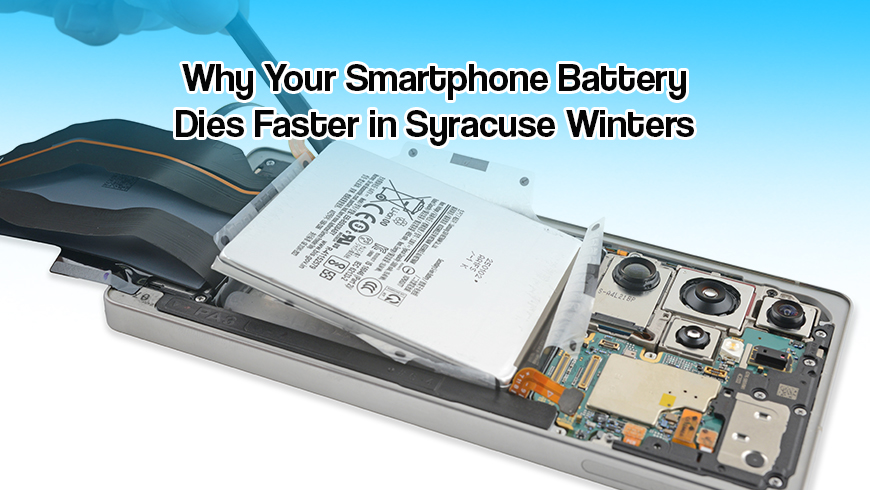
You walk outside on a January morning in Syracuse. It’s 18°F, the wind is biting off Onondaga Lake, and your phone showing a healthy 72% battery shuts down before you even reach your car. Sound familiar? You’re not imagining things, and your phone isn’t broken. Cold weather and lithium-ion batteries simply don’t get along. At Flash Fix Mobile in Mattydale, we see a surge of battery-related repairs every November through March. Below, we’ll break down exactly why this happens and what you can do about it. Why Battery Drains Now all smartphones run on lithium-ion batteries that have liquid electrolyte. The colder the electrolyte gets, the less efficient your phone battery becomes, and your phone can’t access the charge it actually has stored. Apple recommends operating iPhones between 32°F and 95°F. Samsung and Google Pixel devices have similar thresholds. Syracuse regularly dips into single digits throughout winter, which are well below those safe operating ranges. Which means your phone isn’t losing charge permanently in most cases; it’s just temporarily unable to use it. But repeated cold exposure absolutely accelerates long-term battery degradation. GET INSTANT REPAIR 5 Reasons Your Battery Drains Faster This Time of Year 1 – Chemical slowdown inside the battery Cold temperatures reduce the electrochemical reaction rate inside lithium-ion cells. Your phone reads this as low capacity and either shuts down early or displays an inaccurate battery percentage. This is the #1 cause of sudden shutdowns in Syracuse winters. 2 – Your phone works harder to stay warm iPhones and Android devices have internal temperature sensors. When the device detects it’s too cold, it kicks the processor into overdrive trying to self-regulate. More processor activity = more battery drain. It’s a catch-22 that compounds quickly in extreme cold. 3 – Screen brightness demands more power in the cold LCD and OLED screens are also affected by cold, they often dim, which causes auto-brightness and increased backlighting. This causes significant drains on any smartphone battery, and it happens constantly outdoors. 4 – Cellular signal searching drains reserve Signal interference from snow causes your phone to struggle to hold a 4G or 5G signal, it repeatedly boosts transmitter power trying to reconnect burning through battery reserves fast. 5 – An already-degraded battery hits a wall If your battery health is already below 80%, winter is when you truly feel it. A phone that barely gets through a summer day on a weakened battery may not survive a cold Syracuse afternoon at all. This is when a battery replacement stops being optional and starts being essential. Battery capacity loss due to temperature 32°F (Freezing)~20% loss 14°F (-10°C)~35% loss 0°F (-18°C)~50% loss How to Protect Your Phone This Winter in Syracuse Most cold-weather battery issues are preventable. Here’s what actually works: Keep your phone in your inner coat pocket or bag, exposed to the elements. Body heat is your battery’s best friend Avoid charging a phone that’s ice-cold. Let it warm up to room temperature first. Charging a frozen lithium-ion battery can permanently damage the cells. Turn on Low Power Mode before heading outside in extreme cold. This reduces background activity and extends your cold-weather battery life significantly. Disable 5G if you’re in a weak signal area. Constantly hunting for a 5G signal is a battery killer. Drop to LTE in Settings to conserve power. You should check the battery health of your iPhone regularly. To do this on your iPhone you need to go to Settings and then click on Battery and then click on Battery Health. If the battery health is below 80%, then you should choose replacement. Use a thermal phone case if you’re regularly outside in Syracuse winters. These insulated cases are inexpensive and make a real difference. Pro tip from our Mattydale technicians A phone that shuts off at 20–30% battery in the cold and recovers when brought inside usually means cold-induced voltage drop. It’s not permanent damage. But if it keeps happening, the battery is likely aging and needs professional testing. At Flash Fix, we offer fast iPhone battery diagnostics in which we thoroughly inspect your device’s battery condition. When It’s Time for a Professional Battery Replacement If you’re experiencing any of the following, it’s not a software glitch, it’s a hardware issue that a battery replacement will fix: Your phone dies at 20–40% battery even indoors Battery health on iPhone shows below 80% Your phone gets unusually warm even during light use The battery percentage jumps around erratically You’re charging more than once a day on normal usage At Flash Fix Mobile, we replace batteries for iPhone, Samsung, Google Pixel, and most other Android devices, same day, with a 90-day warranty on every repair. No appointment needed, just walk in to our Mattydale store on Brewerton Road. Is your battery struggling this winter? Trust Flash Fix, we offer free diagnosis and 90-day warranty backed repair in Mattydale, NY, and nearby areas. Syracuse-Specific Winter Phone Tips We at Flash Fix Mobile, repair phones for customers from North Syracuse, Liverpool, Cicero, East Syracuse, and all across the CNY area. Our technicians have noticed a few patterns specific to Syracuse winters worth calling out: Onondaga County residents who attend games at local rinks or practice outdoors consistently come in with battery complaints. Rink temperatures sit around 15–20°F prime reason for sudden shutdowns. When lake-effect snow events roll in off Lake Ontario, temperatures can drop 15–20°F in hours. If your phone’s battery health is already borderline, those surprise cold snaps can trigger shutdowns mid-day. Final Verdict Your phone shouldn’t be a liability in a Syracuse winter. A battery in good health handles the cold far better than one limping along at 75% health. If you’re not sure where your battery stands, stop by Flash Fix. We’ll test it for free and give you an honest assessment. We’re located at 2516 Brewerton Rd, Mattydale, NY 13211, easy to find, with same-day turnaround on most battery replacements. We serve all of Central New York, including Syracuse, Clay, and beyond.
Understanding PS4 & PS5 Controller Issues: Fix vs. Replace
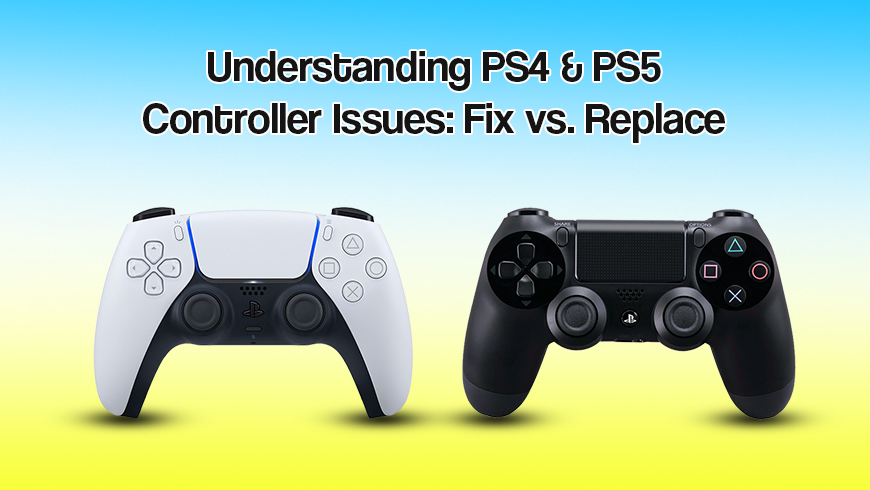
East Syracuse gamers are familiar with the discomfort of an unresponsive controller. Issues with the PS4 and PS5 controllers, such as a dead lagging thumbstick, unresponsive buttons, or a battery that runs out too rapidly, may lose your gameplay and even ruin your mood. The good news? Most of these issues can be easily fixed by the professionals and thus you do not need to dispose of your controller or console. At FlashFix Mobile NY, we provide fast and reliable Game Console repair services, ensuring your PS4 or PS5 controllers perform like new. In this guide, we’ll walk through common controller problems, when to repair vs. replace, and how to get your gaming back on track. Common PS4 & PS5 Controller Issues in East Syracuse The PlayStation controllers tend to have similar problems faced by gamers. Knowing these problems will make you know whether to repair or replace your device. Unresponsive or Sticky Buttons One of the most common complaints is sticky or sticky buttons. Heavy use, buildup, dust, or spilled liquids can all cause malfunctions. You can discover that there is a button that requires more force or doesn’t function at all. This might make competitive gaming extremely challenging and annoying. Drift Issues on Analog Sticks Joystick drift is another common problem. If some of the internal components of your laptop are broken or malfunctioning, it may stop functioning properly. Our experts can identify the issue and repair it so your laptop functions properly once more. If these issues are not resolved timely it could have directly an impact on the gameplay of fast-paced or precise games. Battery Problems Eventually, the quality of the controller batteries gets worse, which causes shorter gameplay sessions or being unable to charge. This issue is mostly seen in old PS4 controllers and PS5 controllers. At our store you can easily replace your battery to regain the functions of your controller at an affordable cost. Connectivity Issues There are controllers which do not match the console. This may happen because of Bluetooth interference, software problems, or some small hardware malfunction. Lack of connectivity may stop gaming play or online gaming. Trigger and Shoulder Button Malfunctions L2/R2 or L1/R1 buttons may stick or fail to respond, mostly because of dust, grime, or worn internal springs. Games that need precise control might be significantly impacted by malfunctioning triggers. Charging Port Failures If your controller doesn’t recognize a charging cable, the port may be loose or damaged. Repairing this can restore normal charging without the need for a full replacement. Table: Fix or Replace Your Controller Issue Likely Fix Replacement Needed? Notes Sticky or unresponsive buttons Cleaning and button realignment Rarely Minor repairs are usually sufficient Drift issues on analog sticks Sensor calibration or replacement Sometimes Severe drift may require new analog module Battery problems Battery replacement Occasionally Only old or damaged batteries need full replacement Connectivity issues Firmware reset, port cleaning Rarely Mostly software or minor hardware fixes Trigger malfunctions Spring replacement or cleaning Rarely Often repairable Charging port failures Port repair or replacement Sometimes Severe physical damage may need full controller replacement Should You Fix or Replace Your Controller? Whether or not to replace or repair a controller depends on the type and the seriousness of the issue. When to Repair Small issues such as sticky buttons, torn triggers, which is not extreme drift in a joystick can be repaired. Problems with charging that are brought about by dirt or loose connectors can also be sorted easily. By fixing your controller, you can avoid the hassle of buying a new one and save money. East Syracuse Professional GameConsole repair services are the ones that will make sure that the repairs are quick, cheap and durable. Skilled technicians can restore the quality and functionality of your controller. When to Replace Some issues require full replacement. Severe analog stick drift that continues after repairs, broken triggers, cracked buttons, or old battery may need a new controller. While replacement costs more upfront, it provides long-term reliability and prevents repeated frustrations during intense gameplay sessions. Why Professional Repair Matters Many gamers try DIY fixes at home, but this can often worsen problems or void warranties. Professional repair offers several advantages: Expert Diagnostics: Technicians quickly identify the root cause. Quality Parts: Only genuine or high-quality replacement parts are used. Time-Saving: Most common issues can be fixed in hours. Warranty: Shops like FlashFix Mobile NY offer service guarantees. Professional repair ensures your PS4 or PS5 controller performs like new without risking additional damage. Step-by-Step Controller Repair Process at FlashFix Mobile NY We keep the repair process simple and transparent for East Syracuse gamers. 1. Diagnostics Each controller undergoes a thorough inspection. We find problems with the hardware or batteries and give an upfront repair estimate. 2. Repair and Cleaning We get rid of liquid residue, dust, and dirt. Analog sticks, buttons, and triggers that are worn out are replaced. Internal connectors and charging ports are also fixed or changed as necessary. 3. Testing & Quality Check Every repaired controller is tested thoroughly. Buttons, sticks and triggers are inspected to ensure they respond. Multiple gaming sessions highlight consistency of the battery life and recharging. The Advantages of Repairing vs. Replacing Your Controller The benefits of servicing your controller are obvious: Economical: The cost of repair is generally cheaper than the price of a new controller. Sustainable: Prevents landfill of electronics. Quick Turnaround: A lot of issues that are encountered are easily solved within hours. Keep Original Feel: Has the ergonomics and grip that you are used to. The last option should be the replacement unless the controller is not repairable. Local East Syracuse Gaming Insights East Syracuse gamers possess specific challenges that influence the controller life. High-intensity gaming sessions cause increased damage. Dusty or damp environments might worsen joystick drift and button issues. Famous game names require reactive controllers; latency may have an impact on the game competition. Professional, local Game Console repair services like FlashFix Mobile NY understand these community
DIY Fixes V/s Professional Motherboard Repair Services!
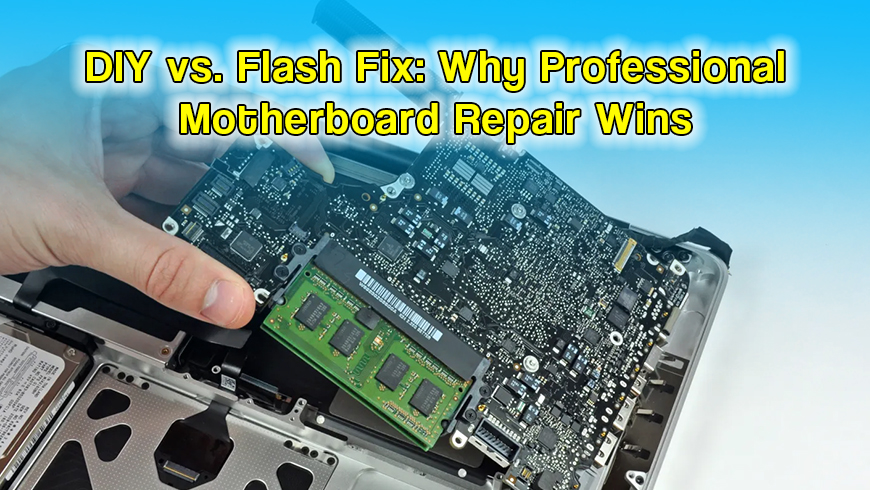
If your laptop, MacBook or desktop suddenly stops working altogether, your first thought might be to try to fix it yourself. On online tutorials and YouTube videos, it seems it’s all straightforward for anyone to solder a motherboard or swap parts. But the reality is much different. Motherboards are a very complicated and sensitive component. A single misstep can cause irreversible damage. Here at Flash Fix Mobile, we have seen countless DIY repairs in our shop that end poorly and this is why we always recommend professional repair! Our motto states it, and we believe it: “We fix it right the first time. There’s no substitute for trained technicians using the right tools in the right way when it comes to restoring your device safely and efficiently. The Hidden Dangers of DIY Motherboard Repair Motherboards are a major part of your device. They manage everything from distributing power to the communication between CPU, RAM, storage and peripheral ports. Trying to fix them at home poses serious risks: Precision Soldering is Extremely Tricky Motherboard circuitry is small, sometimes less than a millimeter. One wrong solder drop and the board can short out, surrounding components might be damaged, or it may end up permanently ruined. DIY enthusiasts rarely have the specialized soldering equipment or steady hands needed for such delicate work. You Might Miss Hidden Damage Most motherboard issues can’t be seen with the naked eye. Something like a bent pin, broken trace or burnt capacitor can get missed pretty easily. And trying a do-it-yourself repair might “solve” the visible problem for the moment but leave deeper problems unaddressed, leading to recurring failures. Specialized Tools Are Essential Professional motherboard repair requires more attention. At Flash Fix Mobile, we use: Hot air rework stations for precise component replacement Multimeters to check voltage, continuity, and functionality Microscopes for inspecting tiny components and traces Thermal cameras to detect overheating areas These tools cost a lot and need proper training to be used safely. Risk of Data Loss A DIY mistake can easily damage your storage drives. Losing important work documents, photos, or personal data is not uncommon when motherboard repairs are attempted without proper precautions. Professional repair protects your data throughout the process. Warranty and Resale Impact Even opening your device for the purposes of do-it-yourself repairs typically voids the manufacturer warranty. This can be expensive if future problems occur. Messing with the motherboard may affect your device’s resale value. Why Flash Fix Mobile Is the Best Choice Flash Fix Mobile is an expert in Laptop Motherboard Repair, Computer Motherboard Repair, and MacBook Motherboard Repair. Here’s why leaving this work to the pros is the safest, smartest choice: We Fix It Right the First Time Our experts diagnose and repair motherboards with precision, so your devices work as usual after the repair. No guesswork, no temporary fixes. Full Diagnostics Before Repair Before we touch your motherboard, we run comprehensive diagnostics to pinpoint the exact problem. This ensures we don’t miss hidden damage and avoid unnecessary component replacements. High-Quality Components and Tools We use only premium replacement parts and industry-grade equipment. From soldering to post-repair testing, every step is precise and reliable. Comprehensive Post-Repair Testing Once your device is repaired, we perform an extensive testing of the device for stability, connectivity and performance. We don’t do short-term fixes; we fix the issue permanently. Data Safety Comes First We handle storage drives and personal data with care. Unlike DIY repairs, your files are fully protected during the motherboard repair process. Common Motherboard Issues We Handle Some of the most frequent motherboard problems we repair include: Devices that won’t power on or boot Frequent crashes, freezes, or blue screens Damaged USB, HDMI, or audio ports Overheating due to faulty power circuits Corrupted BIOS or firmware Our technicians can safely restore your device to full functionality, whether it’s a MacBook motherboard or a Windows laptop. DIY vs. Professional Repair: A Quick Comparison Aspect DIY Attempt Flash Fix Mobile Professional Accuracy High risk of mistakes Certified technicians ensure precise repair Tools Limited / basic Advanced rework stations & microscopes Time Can take days or fail Efficient repair, often same day Warranty Voids manufacturer warranty Repair comes with a warranty Data Safety High risk of data loss Files are carefully protected As this table shows, DIY attempts often cost more in the long run due to repeated failures, data loss, and wasted time. What You Should Do If Your Motherboard Fails Before your device reaches the repair shop, there are some precautionary steps you can take: Power Down the Device Right Away: Stops additional electric current ruining more parts. No DIY Soldering or Component Swapping: One mistake can halt repairs permanently. Back Up Valuable Data: If your device still turns on, back up the files to an external drive or a cloud service. Keep the Device Dry: Moisture or debris can make motherboard damage worse. Give It to Certified Professionals: This is the most secure method of keeping your device and data safe. Take Action Today Don’t risk permanent damage or costly mistakes with DIY motherboard repair. Trust Flash Fix Mobile to restore your laptop, desktop, or MacBook safely and efficiently. Call for Quote: Speak with our team for a fast estimate. Visit Our Mattydale Shop: Drop off your device for expert motherboard repair today. Conclusion Motherboard repair is one of the most complex device repairs. DIY attempts often lead to bigger problems, permanent data loss, and higher costs. Flash Fix Mobile has the expertise, professional tools, and certified technicians who will be equipped to repair your motherboard correctly on the first attempt, in turn making it safer and more functional for longer. FAQs Is it safe to repair a motherboard at home? Repairing a motherboard at home is risky and not recommended. Without proper tools and experience, DIY repairs can cause permanent damage and increase repair costs. How do I know if my motherboard is damaged? Common signs of motherboard damage include the device not turning on, frequent crashes,
How to Fix a Nintendo Switch That Won’t Charge
How to Fix a Nintendo Switch That Won’t Charge When your Nintendo Switch will not charge, it is a really frustrating experience, particularly when you are going to play your favorite games. There is nothing to concern, this is a typical problem that can be resolved. Having charge port issues, Joy-Con issues, battery issues, or simply a need to get your console back online, there are solutions. In this guide, Flash Fix Mobile goes over the most common reasons a Switch won’t charge, easy troubleshooting steps you can try at home, and when it’s best to get professional Nintendo repair in Mattydale, NY. Nearby communities such as Cicero and Clay are also served by us, which means that the assistance may be sought as soon as possible. Why Your Nintendo Switch Might Not Be Charging Before attempting any fixes, it helps to know why the console isn’t charging: Faulty Charge Port: Over time, dust, debris, or wear can stop your USB-C port from connecting properly. Damaged Cable or Adapter: Official chargers may get old, and third-party adapters do not always supply sufficient power. Battery Problems: When the battery is aged or battered, there is a possibility that it will not hold a charge. Software Glitches: Occasionally, your Switch may need a reset or system update to fix minor issues. Joy-Con or Internal Hardware Issues: Faulty controllers or internal components can interfere with charging. Knowing the reason makes you know whether it is something that you can fix by yourself or if you will need to hire a professional to repair it. Step-by-Step: Troubleshooting Your Switch 1. Check the Power Supply Start with the basics: Ensure that you are charging with the official Nintendo Switch charger. The chargers supplied by third parties might not supply sufficient power. Check the cable and adapter and ensure that there is no damage, such as fraying or bent prongs. Attempt to connect to another wall outlet. Other times, it is only a question of power source. Test in case you have another official Switch charger to know whether your console charges or not. If your Switch still doesn’t charge, the problem might be the charge port. 2. Clean the Nintendo Switch Charge Port Dust or debris can block the connection: Switch off the console itself. Dust should be removed lightly with a soft brush (or toothpick or compressed air). It is important not to use anything metal that may destroy the pins. Future charging problems can be prevented by cleaning the port on a regular basis. 3. Check the Battery Signs of battery issues include: The switch only works while plugged in. The battery drains quickly. Console won’t charge past a certain percentage. If these signs appear, a battery replacement from a professional repair service is the safest option. DIY replacements can be risky and may damage your console further. 4. Handle Joy-Con Drift or Connection Problems Sometimes, Joy-Con drift or misaligned controllers can make the console appear unresponsive or affect charging: Detach all Joy-Cons and try charging the console alone. If it charges normally, the controllers may need cleaning or calibration. Clean the Joy-Con connectors with a dry microfiber cloth. Avoid liquids. Reattach controllers and check for responsiveness. Persistent drift or unresponsive buttons usually require professional Joy-Con repair. 5. Software Reset and Updates Occasionally, your Switch just needs a reset: Hold the Power Button for 12–15 seconds to fully shut down. Press the power button again to restart. Check if it now charges normally. Also, keep your Switch updated. System updates can fix minor bugs that affect charging. When to Get Professional Help If your Switch still isn’t charging after these steps, professional repair is the safest way to go. In Mattydale, NY, we provide: Charge port repair to fix worn or damaged ports. Battery replacement for longer-lasting performance. Joy-Con drift repairs for unresponsive controllers. Internal hardware repairs to address deeper issues preventing charging. We serve Mattydale, as well as nearby areas like Cicero and Clay, ensuring fast, reliable service so you can get back to gaming without delay. Get Your Switch Back in Action And dead console Not a dead consolest thou. Stop by our Mattydale shop for quick repairs, or give us a call to discuss your Switch issues. Flash Fix Mobile can repair charge ports, Joy-Con, battery replacements, and do just about everything to get your console running like new. Still just a quick cleaning at the port or a more thorough repair, with professional service, you are sure that your Switch is safe, reliable,e and on time to do what you want. Tips to Prevent Charging Problems It is better to use the official Nintendo charger and cable. Do not leave the charge port and Joy-Con connectors dirty or dusty. Do not bend, twist, or pull cables. De-charge Joy-Cons on long charges. Regular software updates are done to prevent glitches. The steps should be followed to avoid future problems and increase the lifespan of your Switch. Final Thoughts The failure of a Nintendo Switch to charge does not need to be a nightmare. A good portion of the problems can be resolved by checking the power supply, cleaning the port, testing the battery, trying to eliminate Joy-Con drift, and performing a software reset, which can be done in just a few hours at home. When seeking professional troubleshooting services, issues that transcend the limits of the simple troubleshooting procedures should be handled through expert take-in services of Nintendo repairs in Mattydale, NY. Your console can be brought back to its peak functionality with the help of an expert, and you are able to resume gaming without any distractions. No more worrying about the issue of charging, get your Switch in today and resume playing the games that you love.
Flash Fix Mobile: Mattydale’s Home for Expert MacBook Repair
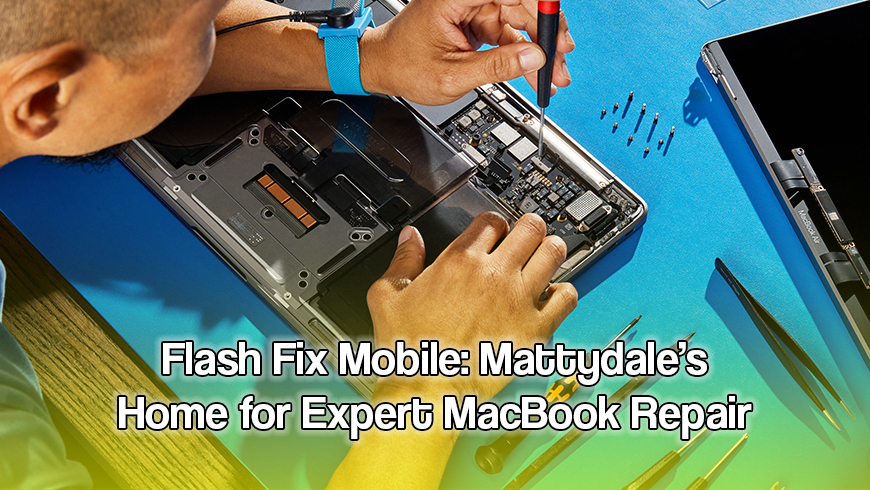
Flash Fix Mobile: Mattydale’s Home for Expert MacBook Repair Everyone knows how important a MacBook is, and how frustrating it is when it is acting up. Whether you are a student, a professor, or a businessman, you need to have a swiftly working Mac in your hands. If you are a resident of Mattydale, you are lucky, as you have Flash Fix Mobile in your town. At our store, you will get many MacBook repair services without any trouble. In this blog, you will get to know details about why we are the best, what to fix, and how we repair your MacBook with excellence. Why Locals Choose Flash Fix Mobile Everyone wants a high-quality repair service at affordable rates. Here comes Flash Fix Mobile, which is keen to meet the needs and exceed the expectations of our customers to the fullest. Repair with high-quality standards Fastest turnaround restorations We don’t break the bank and offer affordable prices Hassle-free warranty backs all our repairs Get 100% customer satisfaction on all repairs Our Advanced MacBook Repair Services At Flash Fix Mobile, you not only receive a repair service, but also durability and professionalism with it. Whatever the problem you are facing with your Mac, you will get reliable MacBook repair services at our store without any hassle. Key Services: MacBook Screen Repair: Get your broken screen fixed or replace it with top-notch parts. MacBook Keyboard Replacement: Whether it’s a sticky button or any other issue, we fix them all. MacBook Battery Replacement: We replace a robust battery with the faulty one to ensure prolonged performance. MacBook Motherboard Repair: Our staff diagnoses your device, identifies the issue, and then fixes it immediately. MacBook Trackpad Repair: Restoration of unresponsive or erratic trackpad functionality. MacBook Charging Port Repair: Repair or replacement of USB-C and MagSafe connectors for reliable charging. MacBook Liquid Damage Repair: Our experts remove the liquid and bring it back to working order. MacBook OS Installation: Clean installation of macOS while preserving critical data. MacBook Wi-Fi/Bluetooth Repair: Resolution of connectivity issues through component repair or replacement. MacBook Hinge Repair: We make sure to revive your Mac and bring it back to working condition. More MacBook Problems We Fix If you are looking for a “MacBook repair near me“, your search ends here, as you found our store, where we fix any issue efficiently. The system freezes and has slow performance Cracked or flickering screens Malfunctioned keyboard and trackpad Battery and charging complications Issue with Wi-Fi and Bluetooth connectivity Common Water and Liquid Damage Issues Our Process To Repair MacBook We provide a very simple and easy-to-follow process to get your Mac fixed without giving you any trouble. Here is our process to fix your Mac: Initial Diagnostic: Our expert diagnoses your device and gets to know where the issue lies. Expert Assessment: We find the exact issue in it and think of the ultimate solution to fix it. Repair or Replacement: Our team provides high-quality repair or replacement services by using advanced tools. Testing and Quality Check: We not only repair the device, but also test and check its performance. Customer Handover: We try to return your device on the same day, and also provide a warranty on what we deliver. Advanced Repairs Competitors Don’t Offer Flash Fix Mobile is equipped to handle repairs that many other shops decline, including: MacBook Motherboard Repair Detailed diagnostics of all parts Complex trackpad or keyboard micro-repair Data recovery from damaged drives Water damage restoration at the component level MacBook Maintenance Tips Keeping your MacBook in top condition helps prevent issues and prolongs device life: Regularly clean keyboards and screens with appropriate tools Avoid overcharging and follow proper battery care Keep software updated and secure Back up your data to prevent permanent loss Protect your MacBook from liquids and physical damage Locations Where Our Services Are Available Flash Fix Mobile proudly provides professional MacBook repair services throughout Central New York, offering convenient access and fast service: Liverpool, NY North Syracuse, NY East Syracuse, NY Cicero, NY Syracuse, NY Clay, NY Why High-Level Repairs Matter You don’t need to go for the DIY option; instead, bring it to the professional repair provider. Flash Fix Mobile is here to provide you with the best solution without giving you any tough time. Here are some of the merits of going with the expert solutions. Key Advantages: Cost-Effective Service Data Safety and Security Peace of Mind Guaranteed Repair Satisfaction Tips on Choosing a Trusted MacBook Repair Service Selecting a qualified repair service ensures high-quality results: Verify Apple certification and technician expertise Check customer reviews and ratings Warranty and guarantee for peace of mind Choose a local provider with a quick turnaround Get Your MacBook Fixed Today Contact Flash Fix Mobile for professional MacBook repair services with speed, accuracy, and reliability. Schedule your repair today and restore your MacBook to peak performance. Conclusion In this fast-paced world, you need to have an efficiently working MacBook in your hands. Whether you are completing your assignments, doing any research about any topic, or keeping your business record, you need to have smart tech. On one hand, it provides a helping hand when it is working, but on the other hand, it is a reason for frustration if it has any issues. Get rid of any issue through Mattydale’s Home for Expert MacBook Repair. Flash Fix Mobile will deliver exceptional restoration service without causing you any hassle. You can also visit our MacBook repair page to schedule our service and learn details about how and what we repair. FAQs Where can I find the best MacBook repair store in Mattydale? You must visit Flash Fix Mobile to get reliable and professional MacBook repair service in Mattydale. Should I make a call before visiting Flash Fix Mobile? It is not necessary, but if you call us, we will let you know about the right time to visit our store and get a convenient experience. Do I need to back up my data before fixing
How Often Should You Replace Your iWatch & iPhone Accessories?

How Often Should You Replace Your iWatch & iPhone Accessories? At Flash Fix Mobile, we know your iPhone and iWatch accessories are essential. From charging cables to cases, these items keep your devices running smoothly and safely. Over time, accessories wear out, and using worn ones can hurt your device’s performance. This guide shows you which accessories need regular replacement, how to spot when it’s time, and why it matters for your iPhone and iWatch. iPhone Accessories That May Need Regular Replacement Certain iPhone accessories wear out faster than others. Here are the most common ones you may need to replace: Charging cables (Lightning & USB-C) Wall chargers & power adapters Wireless charging pads iPhone cases Screen protectors Earphones / AirPods How to Know if iPhone Accessories Need Replacement Each accessory displays a sign indicating when replacement is needed. Here’s what to look for: Charging Cables Frayed or exposed wires: Damaged insulation can be unsafe and may cause your iPhone to charge intermittently or stop charging altogether. Slow or unrecognised charging: The cable may no longer transmit power efficiently, leading to delays or device errors. Wall Chargers & Power Adapters Overheating or inconsistent charging: Excess heat or unstable power can endanger your device. Physical damage: Cracks, bent prongs, or broken casing can prevent proper use. Wireless Charging Pads Slow or irregular charging: The device may take longer to charge or disconnect intermittently. Alignment issues: The phone may not make proper contact with the charging surface, reducing efficiency. iPhone Cases Cracks or stretched corners: A compromised structure may leave your phone less protected. Reduced drop protection: The case may fail to absorb impacts effectively after repeated drops, leaving you with a costly iPhone repair. Screen Protectors Scratches or peeling edges: These reduce screen clarity and leave areas unprotected. Reduced touch sensitivity: Screen may respond less accurately to taps and swipes. Earphones / AirPods Reduced sound quality: Audio may become muffled, uneven, or distorted. Connectivity issues: Bluetooth pairing may fail, or wires may be damaged, both of which can affect performance. Accessory Key Warning Signs Why It’s a Risk Charging Cables Frayed/exposed wires, slow charging, “Accessory Not Supported” errors. Can cause short circuits or intermittent power delivery. Power Adapters Excessive heat during use, bent prongs, or visible cracks in the casing. Risk of fire, electrical shock, or damaging the iPhone’s internal battery. Wireless Pads Frequent disconnections, irregular charging speeds, or alignment failure. Reduces charging efficiency and can lead to unnecessary heat buildup. iPhone Cases Stretched corners, cracks, or a loose fit. Fails to absorb impact during drops, leading to expensive screen or glass back repairs. Screen Protectors Deep scratches, peeling edges, or bubbles that reduce touch sensitivity. Compromises structural integrity of the display and ruins the viewing experience. AirPods / Earphones Muffled audio, distorted sound, or persistent Bluetooth pairing failures. Diminishes audio quality and makes hands-free communication unreliable. iWatch Accessories That Need Replacement iWatch accessories endure daily wear. Focus on these main items: Watch bands Charging docks & cables Screen protectors Protective cases How to Know iWatch Accessories Need Replacement Watch Bands Cracks, discolouration, or torn straps: Damaged bands can break or look worn, reducing comfort and style Skin irritation: Worn materials may cause discomfort or allergic reactions. Charging Docks & Cables Slow charging or loose connections: Power may transfer inconsistently, delaying device charging and potentially leading to Apple Watch repair. Frayed or damaged cables: Exposed wires can be unsafe, reduce reliability, and directly affect the batteries, leading to costly Apple Watch battery replacements. Screen Protectors Scratches, peeling edges, or bubbles: Reduce clarity and coverage, affecting the display’s appearance. Touch issues: Screen may respond less accurately to taps and swipes. Protective Cases Cracks or worn edges: The case may no longer fully protect your device. Reduced impact protection: The device may be more vulnerable to drops or bumps. Accessory Signs of Replacement Why It Matters Watch Bands Cracks, discoloration, torn material Prevents skin irritation and restores comfort/style. Charging Gear Frayed cables, slow charging, loose connections Protects battery health and prevents fire hazards. Screen Protectors Scratches, peeling edges, bubbles Restores touch sensitivity and display clarity. Protective Cases Cracks or worn-down structural edges Ensures the device stays protected from drops and impacts. How Regular Inspection Helps You Stay Up-to-Date Regularly checking your iPhone and iWatch accessories is key to maintaining optimal performance and safety. By inspecting your accessories, you can catch signs of wear and tear early, like frayed cables, cracked cases, or worn watch bands, before they cause bigger problems. Here’s how routine inspections benefit you: Prevent Device Damage: Identifying damaged cables, chargers, or cases early can prevent potential harm to your iPhone or iWatch. Ensure Efficient Performance: Well-maintained accessories charge quickly, protect screens, and work consistently. Maintain Safety: Frayed wires, broken chargers, or loose connections can pose electrical hazards; regular checks minimise these risks. Preserve Device Appearance and Comfort: Keeping bands, cases, and protectors in place maintains your device’s appearance and comfort. Count Flash Fix Mobile for professional iWatch & iPhone Accessory Repairs At Flash Fix Mobile, we specialize in fast, reliable, and professional repairs for all your iPhone and iWatch accessories. From frayed charging cables and broken watch bands to damaged chargers and cases, our expert technicians ensure your devices stay safe, efficient, and stylish. Don’t let worn-out accessories slow you down. Trust us to keep your Apple devices performing at their best. Conclusion Replacing and inspecting your iPhone and iWatch accessories keeps performance and safety high. Charging cables, cases, screen protectors, and bands wear out naturally, and ignoring damage can lead to malfunctions, reduced efficiency, or hazards. By checking for frayed wires, cracks, worn edges, or slow charging, you keep your devices protected and comfortable. At Flash Fix Mobile, we suggest making accessory checks a routine so your devices always perform well, stay safe, and stay stylish. FAQs How often should I replace iPhone charging cables?Replace charging cables if you notice frayed insulation, exposed wires, or inconsistent/slow charging. As a precaution, consider replacing cables every 1–2 years
What to Do If Your Laptop Overheats During a Syracuse Summer
What to Do If Your Laptop Overheats During a Syracuse Summer A laptop that suddenly starts overheating is a warning sign. When your device’s temperature increases, it can result in permanent hardware damage, which may lead to costly overheating repairs or laptop battery repair. Understanding the main causes of this happening is the first step to keep you safe when searching for computer repair services near me. This article is by Flash Fix Mobile, in which we will discuss the symptoms of overheating, its causes, quick steps we should take, and a protective strategy to prevent overheating. Understanding Overheating Symptoms The first step to solving any problem is to recognize what’s happening and why. Your laptop will always give you a clear sign when it overheats. All you need to do is take quick action to keep your device safe from further serious damage. Listen to Your Fans: Audible Warning Signs One of the first indicators of overheating is an auditory one. Laptop cooling fans speed up as the CPU and GPU get hotter. If you notice fans running at maximum speed for long periods, even during light tasks, it’s a clear warning that your system is struggling to stay cool. That persistent, loud whirring is your laptop signalling distress. Watch for Slowdowns: Performance and Shutdown Issues Reduced performance is another key symptom. When a processor gets too hot, it slows down to prevent damage through a process called thermal throttling. This can cause lag, frozen applications, or unexpected shutdowns. These safety measures protect your hardware from serious damage, but they also affect your workflow. Common Causes of Laptop Overheating Identifying why your laptop is overheating is the first step toward a solution. Most cases stem from airflow restrictions, heavy workloads, or ageing hardware. Knowing the root cause helps you fix the problem efficiently. Dust Buildup and Clogged Vents Blocked airflow is the most frequent culprit. Over time, fans pull in dust, lint, and hair, which can clog heatsinks and vents. This traps heat inside the laptop, preventing proper cooling and causing temperatures to rise. Poor Airflow from Surfaces and Environment Your workspace affects cooling performance. Using a laptop on soft surfaces like beds, couches, or blankets can block intake vents. High room temperatures also make it harder for your device to dissipate heat, forcing fans to work harder to maintain safe temperatures. Heavy Workloads and Demanding Applications Intensive software can generate significant heat. Tasks such as video rendering, data analysis, compiling code, or gaming push the CPU and GPU to their limits. Even new laptops can overheat if subjected to demanding workloads without proper ventilation. Failing Cooling Systems Over time, hardware components degrade. Thermal paste between the processor and heatsink can dry out, reducing heat transfer. Fans may slow down or stop working altogether. Both issues lead to rising temperatures and can trigger overheating problems. Possible Action to Take When Laptop Overheats When you feel your laptop is overheating, paying quick attention can restore your gadget’s optimal performance. Give Your Laptop a Break If your laptop is overheating and the fans are loud, save your work and shut it down completely. Allow it to cool for 15–20 minutes. While it’s off, place it on a hard, flat surface such as a desk or table. This ensures that the air vents on the bottom and sides remain unobstructed, promoting proper airflow when you power it back on. Clean the Vents and Fans Regular cleaning can prevent many overheating issues. Power down your laptop, unplug it, and if possible, remove the battery. Use a can of compressed air to clear dust from vents, fans, and the heatsink. Apply short, controlled bursts to avoid damaging fan bearings. This maintenance step is often the most effective solution, especially for laptops prone to vent blockages. Optimize Software and Power Settings Software management can reduce heat generation. Open Task Manager (Ctrl + Shift + Esc on Windows) to identify and close unnecessary applications or background processes consuming high CPU resources. Adjusting your power plan can also help; for example, switching from a “High Performance” to a “Balanced” plan limits processor output and reduces heat. There are also specialized tools that monitor temperatures and allow you to control fan speeds for further optimization. Enhance Cooling with Hardware Upgrades For long-term improvements, consider hardware solutions. A laptop cooling pad with built-in fans improves airflow and lowers operating temperatures, making it particularly useful for gaming laptops. For older devices, replacing dried-out thermal paste on the CPU and GPU can significantly improve heat transfer and cooling efficiency. These upgrades can prevent frequent overheating and extend the lifespan of your laptop. When to Seek Professional Help Some overheating issues can be handled at home, but repeated or severe problems indicate it’s time for expert assistance. Consulting a professional computer can prevent permanent hardware damage and keep your laptop running safely during hot Syracuse summers. Watch for these warning signs: Persistent Overheating: Laptop stays hot even after cooling down and adjusting software or airflow. Frequent Shutdowns or Crashes: Sudden power-offs or freezes during light tasks may signal failing components. Noisy or Non-Functioning Fans: Loud grinding, erratic spinning, or completely stopped fans require professional inspection. Battery or Component Swelling: Any bulging parts are a serious safety hazard and need immediate attention. Count On Flash Fix For Professional Laptop Overheating Repair When your laptop overheats, the fastest, most reliable way to restore peak performance is through expert care. Flash Fix Mobil provides professional overheating repair services designed to keep your device running safely and efficiently during Syracuse’s hottest months. Our technicians specialize in advanced laptop diagnostics, precise hardware repairs, and thorough maintenance to ensure your device stays cool, stable, and long-lasting. With Flash Fix Mobile, you get fast, trusted service that prevents downtime and keeps your laptop performing like new. Proactive Strategies to Prevent Overheating The best way to deal with an overheating laptop is to prevent it from happening. Simple habits and regular maintenance can keep devices cool, extend their
Tips to Make Your MacBook Last for Years

Tips to Make Your MacBook Last for Years A MacBook is built to last. However, many devices begin to slow down or develop hardware issues after only a few years of use. In most cases, the problem is not the laptop itself. Instead, small maintenance tasks often get ignored. When users care for their devices properly, a MacBook can run smoothly for six to eight years or even longer. Regular maintenance protects internal components such as the battery, cooling system, keyboard, and storage drive. It also helps prevent expensive repairs later. Many users visit Flash Fix Mobile when they notice performance problems or hardware issues, especially customers from nearby areas like Mattydale or Syracuse. This guide explains practical ways to keep your MacBook running efficiently for many years. Why Long-Term Maintenance Matters MacBooks are known for reliability. However, daily usage gradually affects hardware performance. Heat buildup, low storage space, battery aging, and dust accumulation slowly reduce system efficiency. When maintenance is ignored, users often experience slower performance, overheating, and battery issues. Over time, these problems may lead to the need for MacBook Repair. However, many of these situations are preventable. Routine care helps maintain performance and protects the device from avoidable damage. As a result, users can extend the lifespan of their laptops and reduce repair costs. If your MacBook needs professional attention, Flash Fix Mobile in Mattydale is always ready to help. Essential MacBook Maintenance at a Glance Regular maintenance does not require complicated steps. Instead, a few simple checks every few months can protect your MacBook for years. Maintenance Task Recommended Timing Why It Helps Clean keyboard and vents Every 1–2 months Prevents dust buildup and overheating Check battery health Every 6 months Detects early battery wear Manage storage space Monthly Keeps the system running smoothly Refresh thermal paste Every 2–3 years Improves cooling efficiency Upgrade SSD storage When space becomes limited Restores speed and responsiveness These small actions reduce system stress and improve overall performance. Keep Your Storage Organized Storage management plays a major role in MacBook performance. When the internal drive becomes almost full, macOS struggles to handle temporary files and background processes. As a result, the laptop may feel slow during everyday tasks like browsing, editing documents, or opening applications. Therefore, keeping enough free storage space is important. Users should regularly remove unused applications, old downloads, and large files. In addition, cloud storage solutions help free up valuable space. However, some MacBooks eventually reach their storage limits. In such situations, an SSD upgrade can dramatically improve performance. A larger and faster SSD allows the system to load files quickly and handle multitasking efficiently. Manage Heat and Cooling Performance Heat is one of the biggest threats to laptop hardware. Every MacBook relies on a cooling system that includes internal fans and heat transfer components. Over time, dust collects inside the laptop. When vents become clogged, airflow decreases and temperatures rise. As a result, the processor slows down to prevent overheating. Users often notice loud fan noise, reduced performance, or excessive warmth near the keyboard. Professional maintenance can solve this issue by cleaning internal components and refreshing the thermal paste that sits between the processor and heat sink. Thermal paste dries out after several years, which reduces its ability to transfer heat. Replacing it restores efficient cooling and helps maintain stable performance. Tips to Take Care of Battery Battery health naturally declines over time. However, charging habits can speed up or slow down this process. When users constantly keep their MacBook plugged in or allow the battery to drop to zero frequently, the battery may lose capacity faster. As a result, the laptop may run out of power quickly. Maintaining moderate charging levels helps preserve battery health. Keeping the battery between roughly twenty and eighty percent during regular use reduces stress on battery cells. Eventually, every battery reaches the end of its life cycle. When the battery drains unusually fast or shuts down unexpectedly, a MacBook Battery Replacement may be necessary to restore normal usage time. Protect the Keyboard and Input Components The keyboard is one of the most frequently used parts of a MacBook. Because of this, it is also one of the most common areas where damage occurs. Dust particles, food crumbs, and accidental spills can affect key responsiveness. Even small debris can prevent keys from registering properly. Cleaning the keyboard periodically helps prevent buildup under the keys. Additionally, avoiding food and drinks near the laptop reduces the risk of internal damage. If keys begin sticking or stop responding entirely, professional MacBook keyboard replacement may be required. Addressing keyboard issues early prevents further damage to internal connectors and components. Upgrade Hardware Instead of Replacing the Laptop Many users assume a slow laptop must be replaced. However, that is not always necessary. In many cases, simple hardware upgrades can restore speed and extend the life of the device. For example, upgrading to a larger SSD dramatically improves performance, especially on older MacBook models. Faster storage allows applications to launch quicker and reduces system lag. Similarly, refreshing thermal paste or replacing worn cooling components can stabilize system temperatures and improve long-term reliability. Professional technicians often recommend upgrades based on the condition of the device. These upgrades cost far less than purchasing a new laptop while delivering noticeable performance improvements. Recognize Early Warning Signs MacBooks usually show warning signs before a major failure occurs. Recognizing these signs early allows users to fix problems before they become serious. Common symptoms include sudden slowdowns, excessive heat, unexpected shutdowns, or battery problems. These issues may indicate underlying hardware wear or internal dust buildup. When these signs appear, professional MacBook Repair Services can identify the root cause quickly. Early diagnosis prevents further damage and keeps the device functioning properly. Professional Care Makes a Difference While some maintenance tasks can be done at home, internal repairs require specialized tools and experience. Attempting complex repairs without proper training can damage delicate components. Professional technicians use the correct diagnostic equipment to inspect the device
Top Accessories to Protect Your iPhone Screen in North Syracuse

Your iPhone screen is one of the most important parts of your device. A single slip or drop can lead to costly damage and the need for professional iPhone screen repair or even a completely shattered display. That’s why protecting your screen with the right accessories isn’t just smart, it’s essential. In North Syracuse, high-quality screen protection accessories help guard against scratches, cracks, fingerprints, and accidental drops, keeping your display looking brand new and your touch experience smooth. While the top smartphone screen replacement service near you is available near you at Flash Fix Mobile in North Syracuse. However, prevention is always a better, more affordable option than dealing with accidents. Protect Your Screen with Screen Covers A good screen protector isn’t just a smart choice; it’s important if you want to keep your phone working well and looking new. The right screen cover helps protect your iPhone from scratches and cracks, making it a strong and reliable device you can use every day. Types of iPhone Screen Covers Screen protection is not the same for everyone. Different materials offer different benefits. Here are some types of screen covers you should know about. Tempered Glass: Strong and durable with a 9H hardness rating. Offers clear display quality and solid protection against scratches and drops. PET Plastic: Thin, lightweight, and affordable. Provides basic scratch protection. TPU Film: Flexible material with self-healing features that reduce small scratches. Also helps absorb minor impacts. Ceramic Coating: A very thin layer that protects against scratches while keeping the screen smooth and clear. Hybrid Glass: A mix of glass clarity and flexible edges for better durability and a comfortable fit. Type Thickness Range Transparency Protection Level Touch Response Expected Lifespan Tempered Glass 0.3–0.4 mm 99% clear Outstanding Original screen feel 12–18 months PET Film 0.1–0.2 mm 95% clarity Reliable Slightly less smooth 6–12 months TPU Film 0.2 mm 92% clarity Strong Smooth performance 8–15 months Essential Screen Cover Features Not all screen protectors offer the same level of protection. Instead of focusing on marketing claims, choose features that truly improve your everyday iPhone experience. Scratch Resistance: A 9H hardness rating helps protect your screen from scratches caused by keys, coins, and other pocket items. Impact Absorption: A quality protector works together with air-cushion or corner-protection designs to reduce damage from accidental drops. Clarity Preservation: It should maintain clear display quality, accurate colors, and sharp visuals for photos and videos. Touch Sensitivity: The screen should remain smooth and responsive, without any delay or reduced sensitivity. Raised Edge Compatibility: It should fit well with slightly raised screen edges (around 1mm) to provide extra protection when your phone is placed face down. Choosing a screen protector with these essential features ensures better durability, performance, and everyday usability. Why iPhone Screen Covers Matter a Lot Your iPhone’s screen goes through more damage than you think. Even tiny scratches from dust or small particles in your pocket can slowly weaken the screen. Over time, this small damage can make your screen less clear and reduce touch sensitivity. Here are some common everyday risks: On your commute: Keys, coins, and zippers in your bag or pocket can scratch the screen. Outdoor use: Sand, dirt, and accidental drops can cause cracks or damage. Daily activities: Placing your phone on desks, car dashboards, or kitchen counters can cause minor scratches and wear. Protect Using Screen Protectors Screen protectors can help you avoid paying for an expensive iPhone screen replacement. From accidental drops to small scratches caused by keys, dust, and everyday use, damage can happen at any time. That’s why an iPhone screen protector is a smart and simple way to keep your display safe. A good screen protector adds an extra layer of protection without affecting touch sensitivity or screen clarity. Types of Screen Protectors Screen protectors come in different types depending on the material and level of protection. The most common options are: Tempered Glass TPU (thermoplastic polyurethane) PET Nano Liquid Silicone Let’s discuss each protector type. Tempered Glass Screen Protectors Tempered glass protectors sit on top of your phone’s screen. They are made from strong, treated glass that resists scratches and impacts better than regular glass. Pros: Feels like the real phone screen Strong protection against scratches and drops Some include privacy features. Cons: Thicker than other types Can crack or shatter with heavy impact Usually more expensive TPU Screen Protectors TPU protectors are made from flexible plastic. They absorb impact and don’t easily break. Pros: Flexible and self-healing (small scratches fade) Often fingerprint-resistant Doesn’t shatter Cons: Doesn’t feel like real glass Can peel or bubble over time PET Screen Protectors PET protectors are thin plastic films. They are affordable but offer basic protection. Pros: Very thin and lightweight Scratch-resistant Low cost Cons: Limited drop protection Not ideal for curved screens Nano Liquid Screen Protectors Nano liquid protectors are applied by wiping a liquid onto the screen. They create a thin, invisible layer. Pros: Easy to apply Very thin Cons: Light protection only Wears off over time No privacy features Each type offers different levels of protection, helping you avoid costly cell phone screen repair. If you want strong protection, tempered glass is usually the best choice. If you prefer something thinner and more affordable, TPU or PET may be a good option. Why Screen Protectors Are Important Screen protectors are important because they help protect your phone’s display from scratches, cracks, and daily wear and tear. They add an extra layer of safety without affecting touch sensitivity or screen clarity when you choose a good-quality option. Whether it’s tempered glass for strong protection or TPU and PET for a thinner feel, a screen protector can save you from costly screen repairs and keep your phone looking new. Conclusion Protecting your iPhone screen is one of the smartest decisions you can make to avoid expensive damage and the need for professional repairs. With the right screen cover or protector, you can prevent scratches, cracks, and everyday wear while keeping